"Which QR Code Was That Again?"
It's 9 AM. Client calls. "The QR code on our restaurant menu isn't working." You have 247 QR codes. You start scrolling. And scrolling. Is it 'Menu Link'? Or 'Restaurant URL'? Or did you name it 'Client ABC Menu'? Five minutes later, you're still looking. Client is still waiting.
Now imagine: Client calls. You click 'Restaurant ABC' folder. Three QR codes inside. You find it in 2 seconds. Fixed in 10. Client thinks you're a wizard.
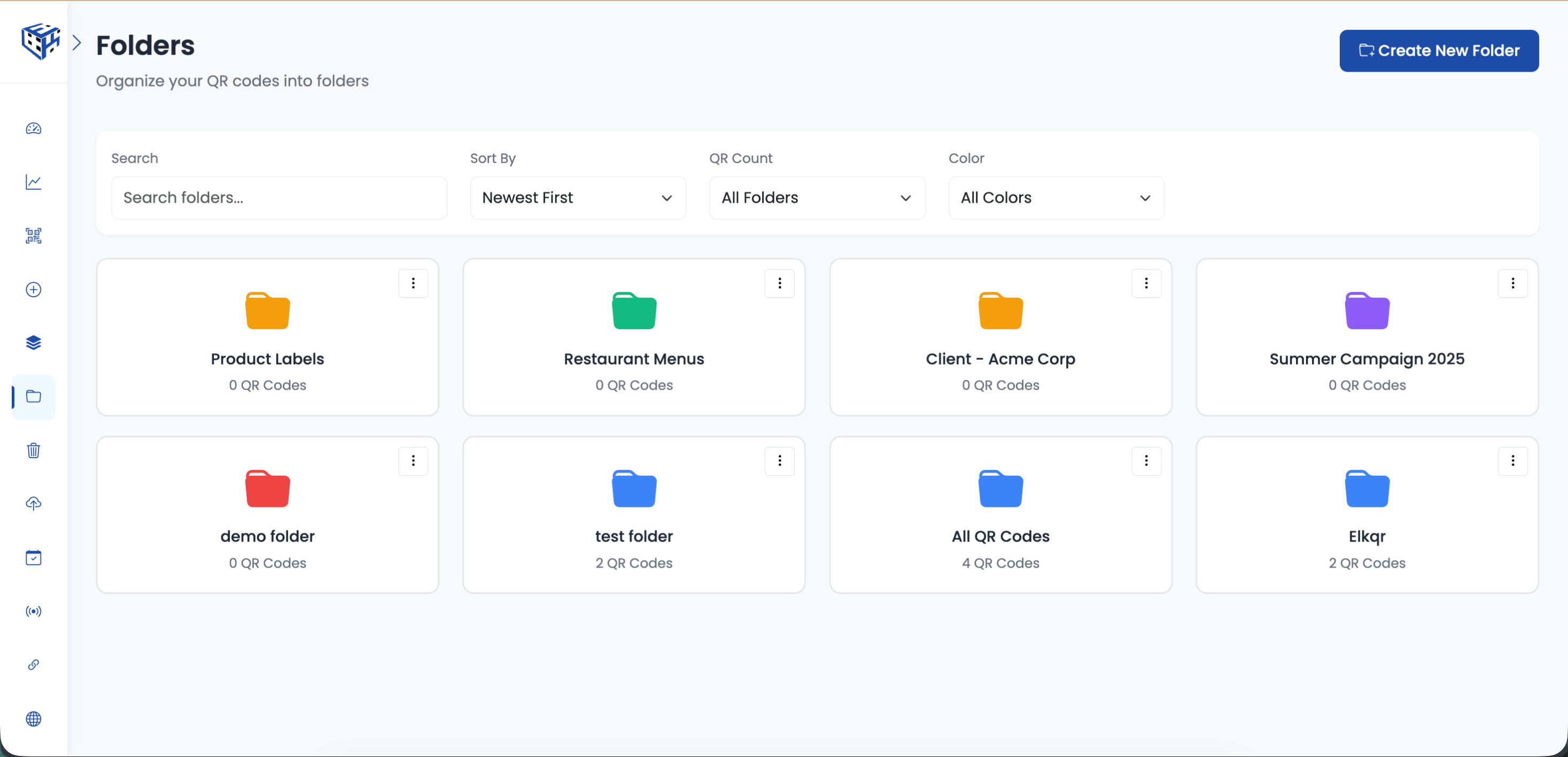
Folders turn chaos into clicks. Color-code them, and you won't even need to read the names.
The 5-Minute Search vs The 2-Second Click
| Without Folders | With Folders |
|---|---|
| Scroll through 247 QR codes to find one | Click folder → 3 codes → found it |
| "Was it for Nike or Adidas?" You forgot. | Folder says 'Nike Campaign'. Done. |
| All QR codes look identical in the list | Blue = active, Red = urgent, Green = done |
| Delete wrong code by accident | Folder keeps related codes together safely |
| Can't show client just their codes | Filter by folder, show only theirs |
How Smart People Organize
There's no "right" way. But here's what works for different businesses:
| If You're A... | Organize By... | Example Folders |
|---|---|---|
| Marketing agency | Client name | Nike, Adidas, Coca-Cola, Local Gym |
| Retail chain | Store location | NYC Downtown, LA Mall, Chicago Airport |
| Restaurant | Menu type | Dine-in Menu, Takeaway, Bar Menu, Specials |
| Event company | Event name | Wedding Smith 2025, Corp Event ABC, Birthday Party |
| Product company | Product line | Product X Packaging, Product Y Manual, Product Z Warranty |
Color = Speed
5 colors available: Blue, Green, Purple, Yellow, Red. Your brain processes colors faster than text. Use them:
| Color | Use It For |
|---|---|
| Red | Urgent / needs attention / expiring soon |
| Green | Active / live / currently running |
| Blue | Archived / completed / reference only |
| Yellow | Pending / waiting for approval |
| Purple | VIP clients / premium campaigns |
Bulk Actions Made Easy
Summer campaign ended? Click the 'Summer 2025' folder. Select all. Move to archive. Done. No hunting through 300 codes trying to remember which ones were for summer.
Tip
Name folders with dates when relevant: 'Black Friday 2025', 'Q1 Campaign 2026'. Future you will thank present you.
Warning
Without folders, finding one QR code among hundreds is like finding a specific email in an inbox with no search. Possible, but painful.
- How to Create a Folder? - Create your first folder in 30 seconds
- How to Move QR Codes to a Folder? - Move one or hundreds of QR codes at once
Still facing difficulties?
Click here to contact our support team for assistance