That Email From a Lawyer in Germany
You're running a successful QR code campaign. Thousands of scans. Great analytics. Then you get an email: 'Your website is tracking EU visitors without consent. This violates GDPR Article 6. Please respond within 14 days.' Suddenly, your marketing success becomes a legal nightmare.
GDPR (General Data Protection Regulation) requires that you get consent before tracking EU visitors with cookies or pixels. No consent? No tracking. Simple rule, serious consequences if you ignore it.
Show a cookie consent banner to EU visitors. Track only those who accept. Stay compliant.
What GDPR Compliance Does
| Visitor Action | What Happens |
|---|---|
| Accept All | Full tracking - analytics, pixels, everything works |
| Decline | QR code works normally, but no tracking data collected |
| Customize | Visitor chooses which cookies to allow |
Why This Matters
GDPR fines can reach 20 million euros or 4% of global revenue - whichever is higher. Even small businesses have been fined. The regulation applies to any business that has EU visitors, regardless of where the business is located.
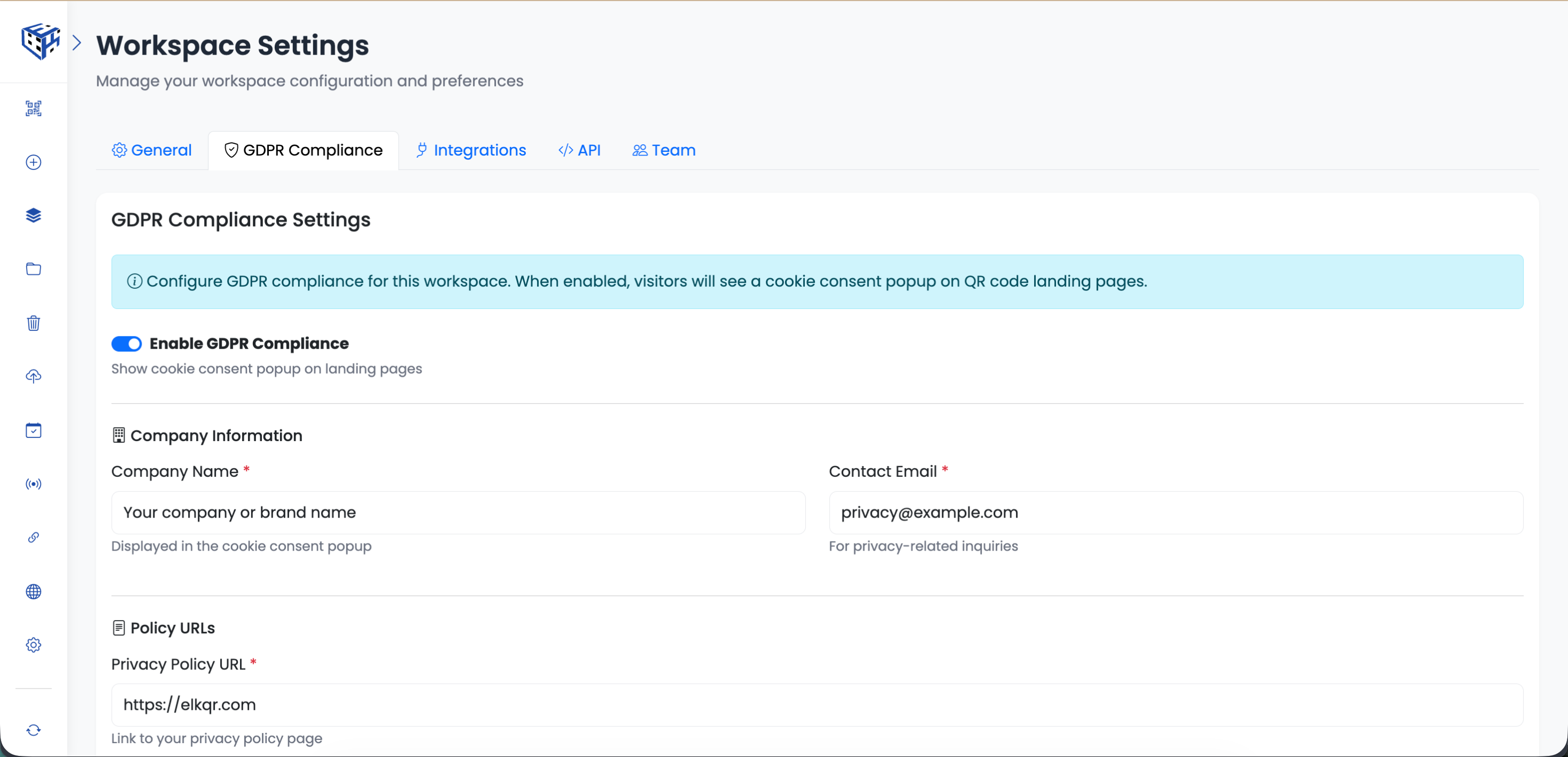
If your QR codes are on products sold in Europe, at European trade shows, or anywhere EU residents might scan them - you need GDPR compliance.
What You Need to Set Up
| Field | Required | Example |
|---|---|---|
| Company Name | Yes | Acme Inc. |
| Contact Email | Yes | privacy@acme.com |
| Privacy Policy URL | Yes | https://acme.com/privacy |
| Cookie Policy URL | No | https://acme.com/cookies |
Workspace-Level Setting
GDPR settings apply to an entire workspace. All QR codes in that workspace will show the same cookie consent banner. If you have different brands or regions, create separate workspaces with different GDPR settings.
Tip
Already have a privacy policy? Great. If not, there are free generators online - just search 'GDPR privacy policy generator'. You need a real, accessible URL.
- How to Enable GDPR Compliance? - Step-by-step setup guide
Still facing difficulties?
Click here to contact our support team for assistance