You created a QR code with a long URL or custom alias, and now there are extra small square patterns scattered inside your QR code. They look like mini versions of the corner squares. Is this a bug? No - this is completely normal and actually helps your QR code work better.
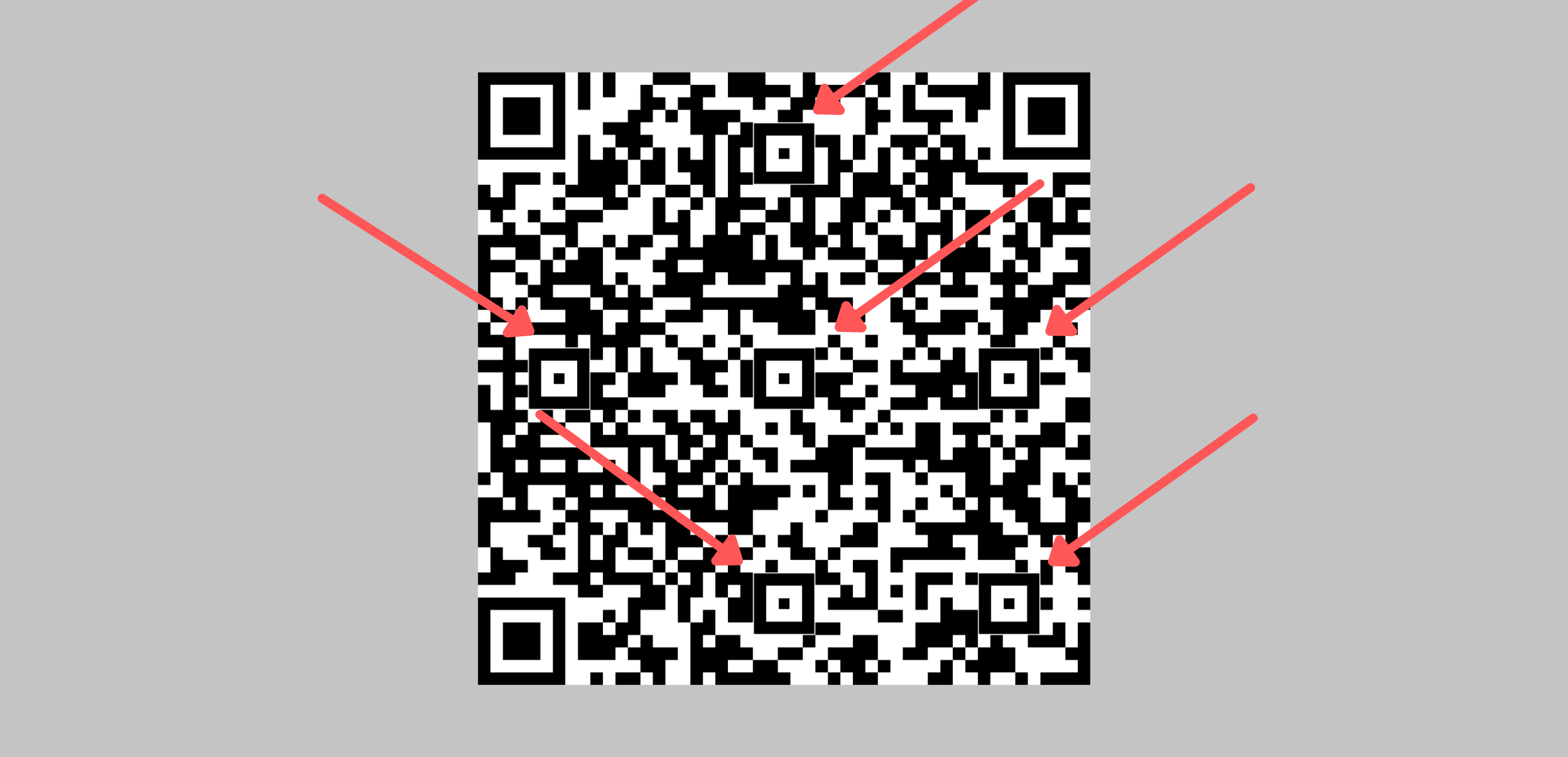
What Are These Extra Squares?
These are called Alignment Patterns. They're part of the official QR code standard and serve an important purpose.
| Pattern Type | Location | Purpose |
|---|---|---|
| Finder Patterns | 3 corners (top-left, top-right, bottom-left) | Help scanners locate and orient the QR code |
| Alignment Patterns | Inside the QR code body | Help scanners correct for image distortion |
Why Do They Appear?
Alignment patterns appear automatically when your QR code contains more data. QR codes have 40 different versions based on data capacity.
| QR Version | Size | Alignment Patterns |
|---|---|---|
| Version 1 | 21x21 modules | None |
| Version 2 | 25x25 modules | 1 pattern |
| Version 7+ | 45x45+ modules | Multiple patterns |
| Version 40 | 177x177 modules | 46 patterns |
What Increases QR Version?
| Factor | Impact |
|---|---|
| Long custom alias | More characters = higher version |
| Long destination URL | More characters = higher version |
| Higher error correction | More redundancy = higher version |
| Adding a logo | Higher error correction needed = higher version |
Tip
Alignment patterns actually improve scannability. They help phone cameras read your QR code accurately even when scanned at an angle or on a curved surface.
Can I Remove Them?
No - alignment patterns are mandatory per the QR code standard. Removing them would make the QR code unscannable. However, you can reduce them by:
| Method | How |
|---|---|
| Shorter alias | Use a brief custom alias (e.g., 'menu' instead of 'restaurant-summer-menu-2024') |
| Lower error correction | Use Medium (M) instead of High (H) if not using a logo |
| Use default alias | Leave alias empty for auto-generated short code |
Note
The alignment patterns use the same color as your foreground (data modules) color setting, not the finder pattern color. They blend naturally with your QR code design.
Still facing difficulties?
Click here to contact our support team for assistance