Sarah runs a marketing agency with 15 clients. Last month, her intern accidentally deleted QR codes for Client A while working on Client B. The damage took hours to fix and nearly cost them the account. That's when Sarah discovered workspaces - completely isolated containers that keep each client's QR codes, files, and team access separate. Now her team works confidently knowing one workspace can never affect another.
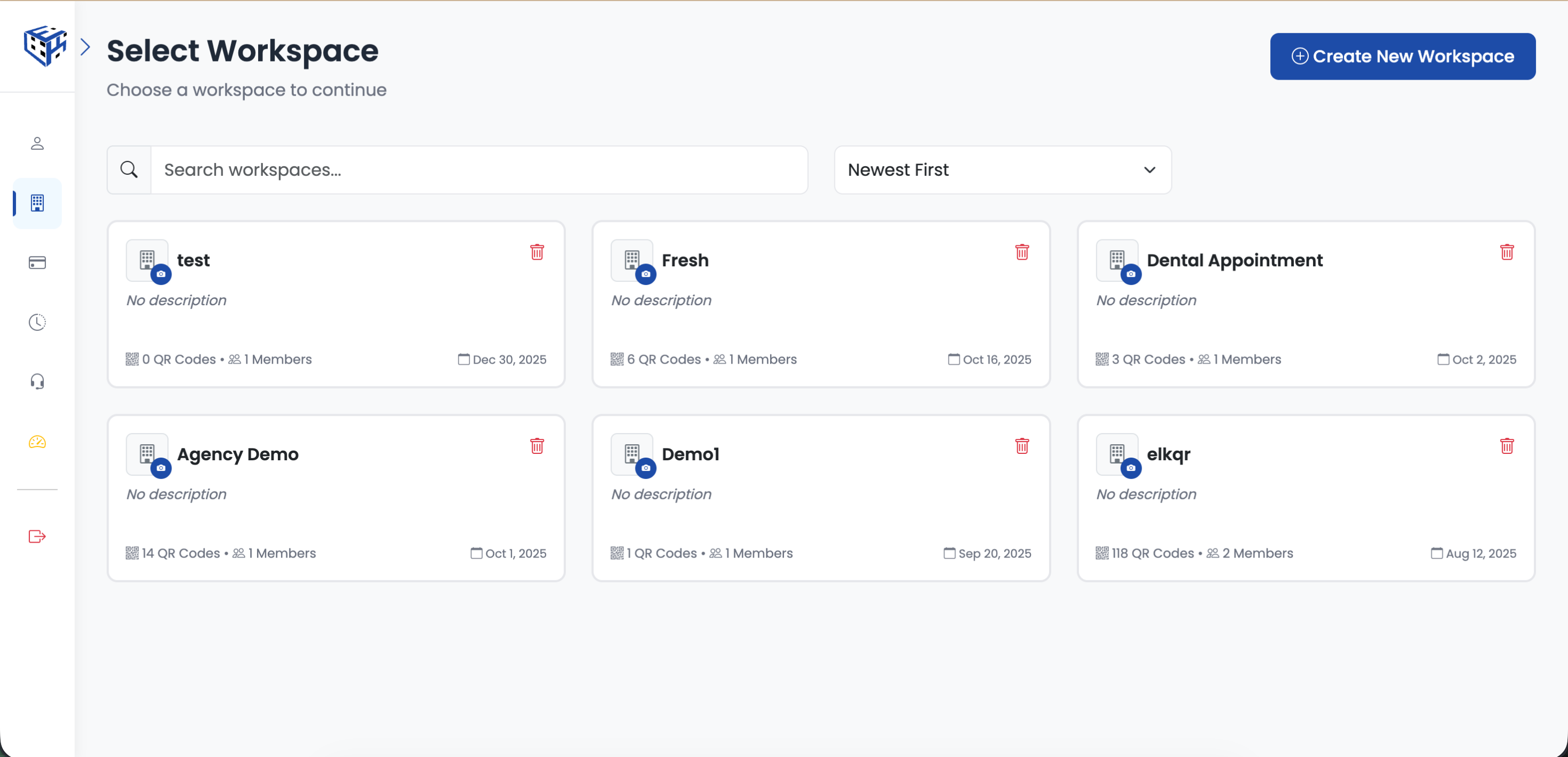
Each workspace is a separate container for your QR codes
What's Isolated in Each Workspace
| Item | Isolation Level |
|---|---|
| QR codes & analytics | 100% separate - no overlap possible |
| Folders & organization | Each workspace has its own structure |
| Uploaded files & media | Files belong to one workspace only |
| Team members & permissions | Invite different people per workspace |
| GDPR & compliance settings | Configure per client/project |
| API keys & integrations | Separate keys for each workspace |
| Custom domains | Assign domains to specific workspaces |
How Businesses Use Workspaces
| Business Type | Workspace Structure |
|---|---|
| Marketing agencies | One workspace per client (Acme Corp, TechStart Inc) |
| Franchise operations | One workspace per location (NYC Store, LA Store) |
| Enterprise teams | One workspace per department (Marketing, Sales, HR) |
| Campaign managers | One workspace per campaign (Summer Sale, Product Launch) |
| Freelancers | Personal workspace + one per major client |
Tip
The workspace owner's subscription determines available features. When you invite team members, they get access to your plan's features without needing their own subscription.
Still facing difficulties?
Click here to contact our support team for assistance