No More Spelling Out Passwords
A cafe barista gets asked for the WiFi password 50 times a day. They put a QR code on every table. Customers scan, tap 'Connect', and they're online. No more shouting 'capital B, lowercase r, the number 3...' across the counter. The password changes monthly? They update the QR once - all tables work with the new password.
WiFi QR codes let guests connect instantly. One scan, one tap, connected. No typing passwords, no asking staff.
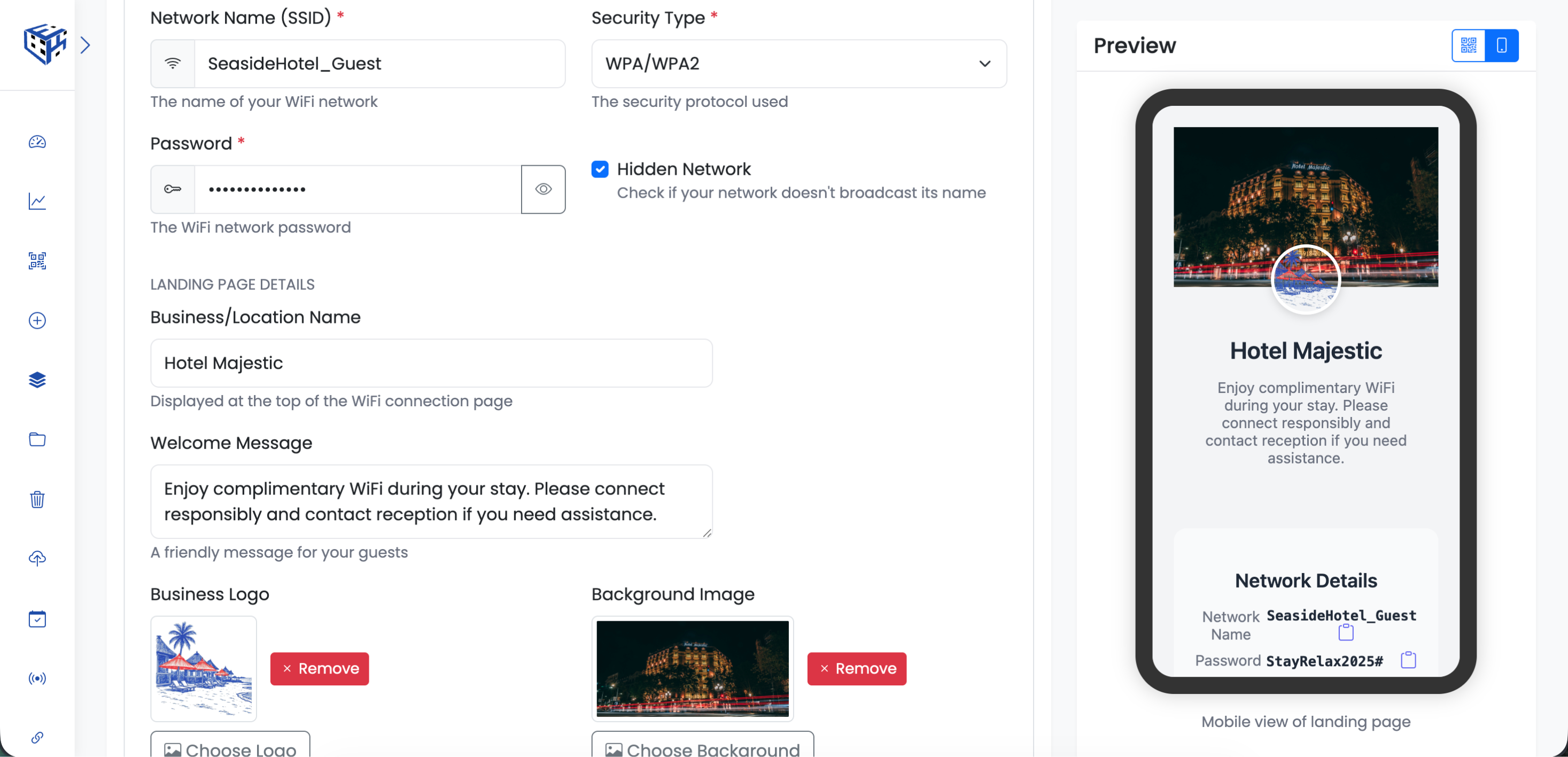
Enter your network name and password
What Visitors See
A branded connection page with your logo, welcome message, and a 'Connect to WiFi' button. Password can be shown for manual entry or hidden for security.
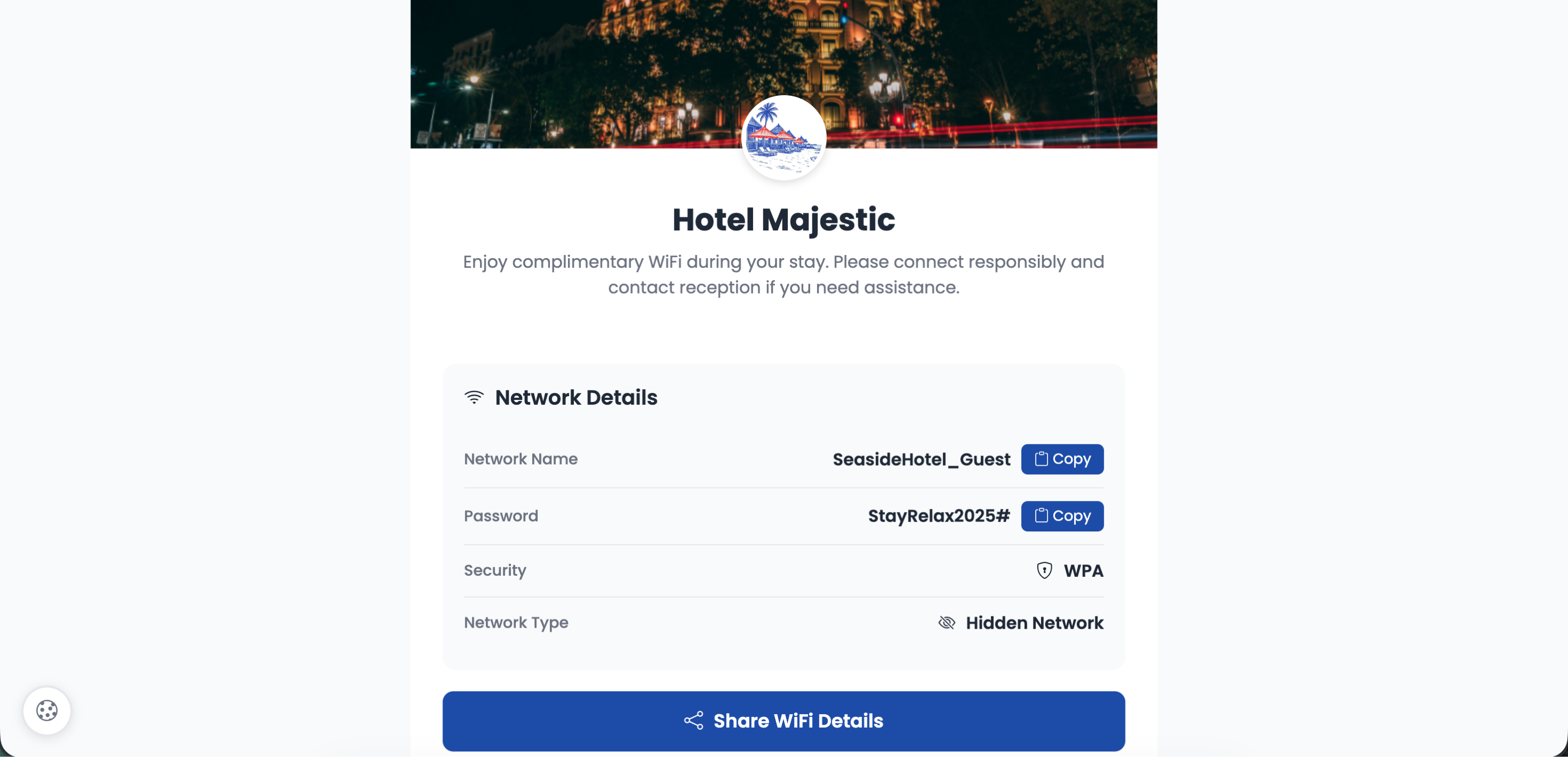
Tap to connect instantly
Network Details
| Field | Description | Limit |
|---|---|---|
| Network Name (SSID)* | Your WiFi network name | 32 characters |
| Security Type* | WPA/WPA2, WEP, or Open (No Password) | - |
| Password* | WiFi password (required unless Open) | 64 characters |
| Hidden Network | Check if network doesn't broadcast SSID | Toggle |
Landing Page Details
| Field | Description | Limit |
|---|---|---|
| Business/Location Name | Displayed at the top | 100 characters |
| Welcome Message | Friendly message for guests | 200 characters |
| Business Logo | Your logo | 200x200px, 20MB |
| Background Image | Banner image | 800x400px, 20MB |
| Terms of Use | Acceptable use policy | 500 characters |
Display Options
| Option | Description |
|---|---|
| Show Password | Let users see/copy the password |
| Share WiFi Button | Allow visitors to share credentials with others |
Support Contact
Optional support email and phone number for connection issues.
Use Cases
| Use Case | Example |
|---|---|
| Hotels & Airbnbs | Guest room cards, lobby signs |
| Cafes & Restaurants | Table tents, menu cards |
| Offices | Meeting room displays |
| Coworking Spaces | Member areas, desks |
| Events | Conference badges, signage |
Tip
Add Terms of Use to set expectations for guests. Enable 'Share WiFi' button so satisfied guests can share with friends.
Still facing difficulties?
Click here to contact our support team for assistance