The Business Card That Never Runs Out
A sales rep meets 50 people at a trade show. Instead of handing out paper cards (that get lost), she shows her phone. They scan her QR code and tap 'Add to Contacts' - her name, phone, email, company, LinkedIn, and photo are saved instantly. She gets promoted next month. She updates her title on her vCard. Everyone who saved her contact now sees the new title.
vCard Plus is a comprehensive digital business card. Everything from your contact info to social profiles, portfolio, services, and payment links - all saveable with one tap.
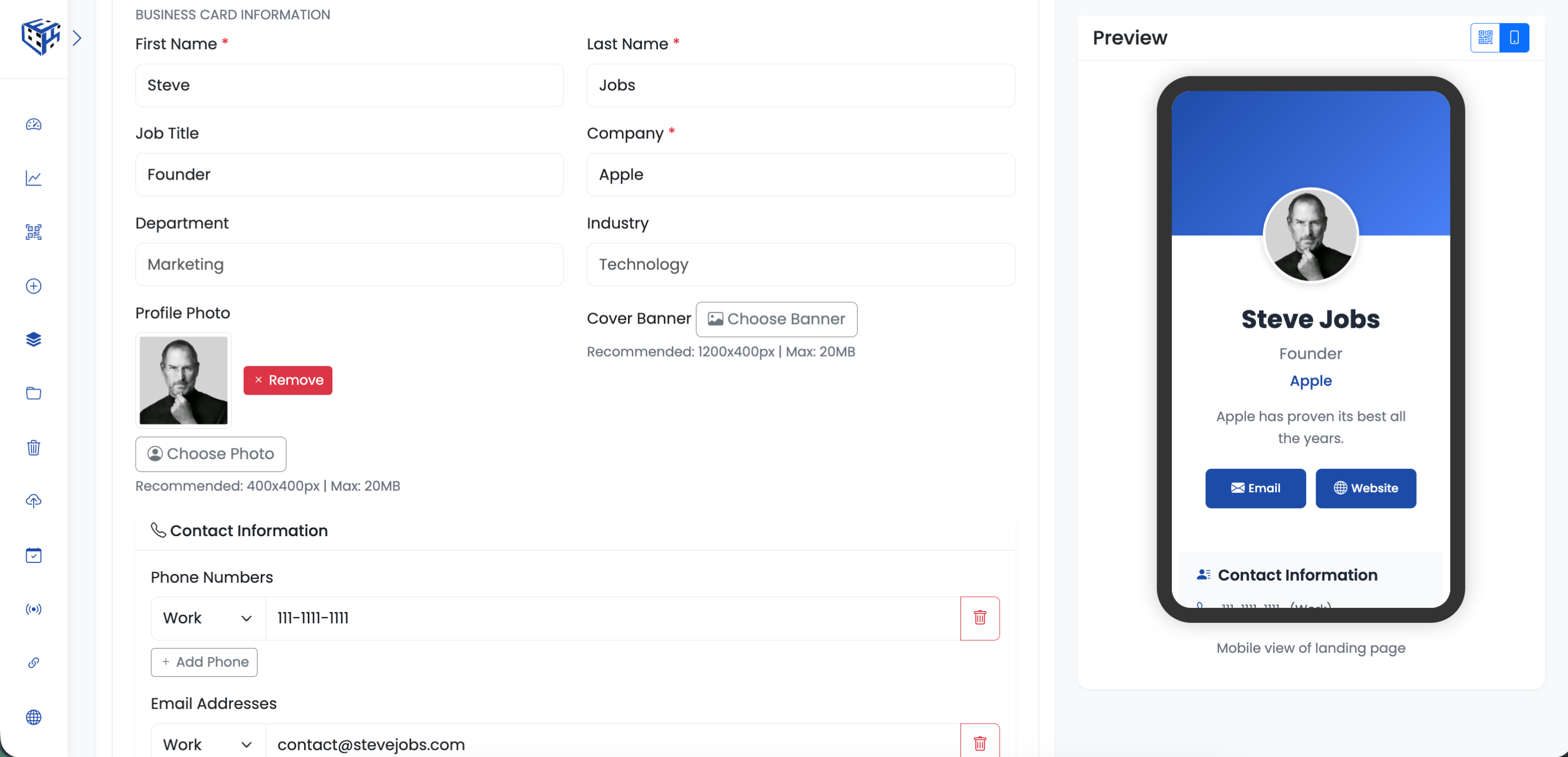
Digital business card with all your details
What Visitors See
A professional profile page with your photo, cover banner, contact details, social links, portfolio gallery, services, and a prominent 'Add to Contacts' button that saves everything to their phone.
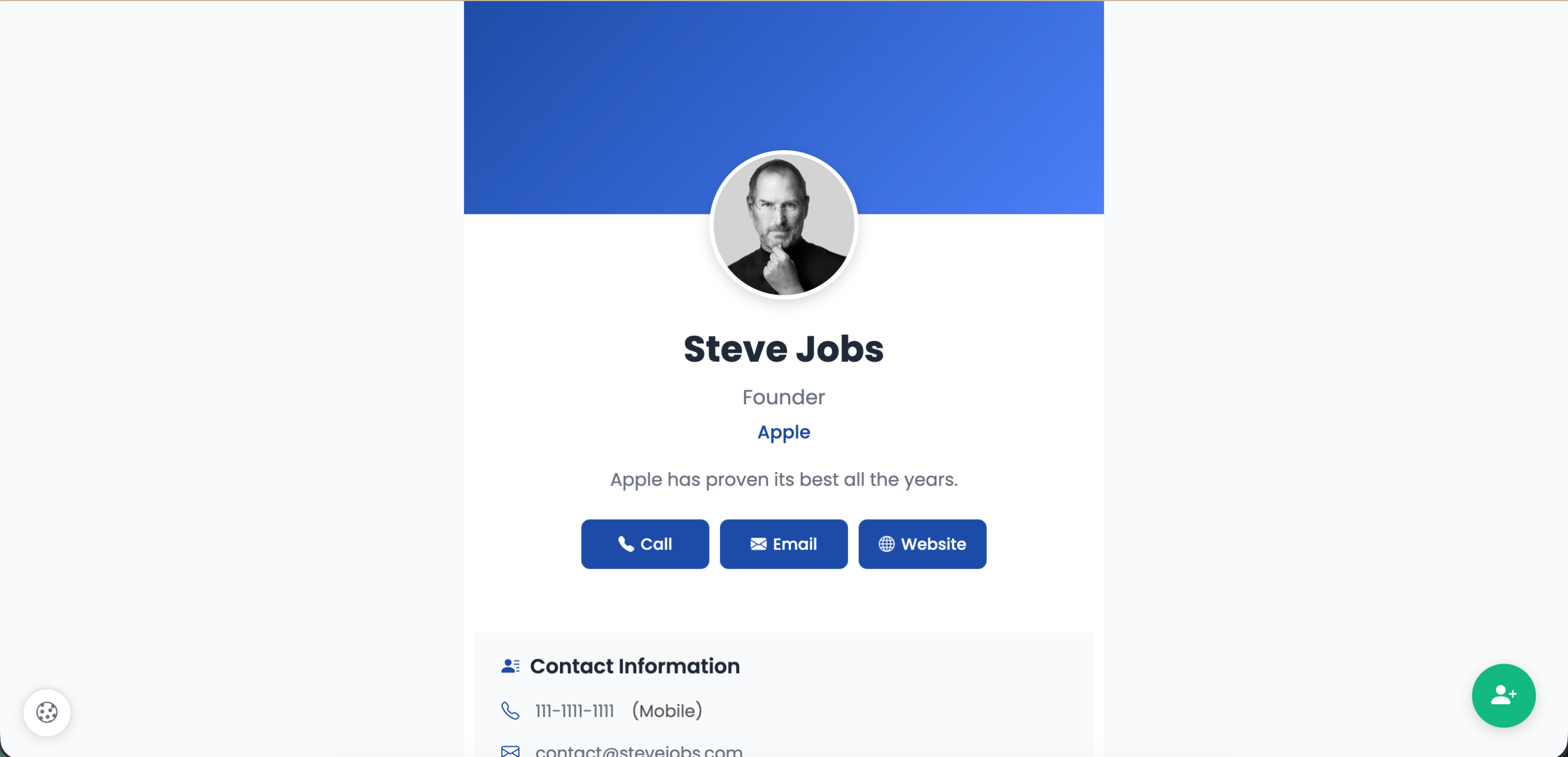
Professional digital business card with Add to Contacts button
Basic Information
| Field | Description | Limit |
|---|---|---|
| First Name* | Your first name | 50 characters |
| Last Name* | Your last name | 50 characters |
| Job Title | Your role | 100 characters |
| Company* | Your company name | 100 characters |
| Department | Your department | 100 characters |
| Industry | Your industry | 100 characters |
| Profile Photo | Your headshot | 400x400px, 20MB |
| Cover Banner | Header image | 1200x400px, 20MB |
Contact Information
| Field | Description |
|---|---|
| Phone Numbers | Multiple numbers with type (Work, Mobile, Home, Fax) |
| Email Addresses | Multiple emails with type (Work, Personal) |
| Addresses | Multiple addresses with full details (Street, City, State, Zip, Country) |
| Website | Your website URL |
Business Information
| Field | Description |
|---|---|
| About/Description | Tell people about yourself (500 characters) |
| Years of Experience | How long you've been in the field |
| Company Size | Employee count (1-10 to 1000+) |
| Timezone | Your timezone for scheduling |
| Languages | Languages you speak |
Availability & Calendar
| Field | Description |
|---|---|
| Working Hours | Your available hours (e.g., Mon-Fri 9-5) |
| Availability Status | Available, Busy, Away, Do Not Disturb |
| Calendar Booking URL | Calendly, Cal.com, or similar link |
| Preferred Meeting Platform | Zoom, Teams, Meet, Webex, Phone, In Person |
Payment & Services
| Field | Description |
|---|---|
| Services/Products | List your offerings with optional pricing |
| PayPal | PayPal.me link |
| Venmo | Venmo handle |
| Cash App | Cash App handle |
| Stripe | Stripe payment link |
Portfolio Gallery
Upload up to 10 images (20MB each) to showcase your work.
Social Media
Add links to 25+ platforms including Facebook, Instagram, Twitter/X, LinkedIn, YouTube, TikTok, WhatsApp, Telegram, Snapchat, Pinterest, Reddit, Discord, Twitch, Spotify, GitHub, Behance, Dribbble, and more.
Custom Fields
Add unlimited custom fields for any additional info (e.g., License Number, Certifications).
Privacy Settings
| Option | Description |
|---|---|
| VCF Download | Allow visitors to download contact file |
| Direct Contact Buttons | Show Call, Email, Text buttons |
| Social Icons | Display social media icons |
| Analytics | Track visitor interactions |
| Gallery Section | Show/hide portfolio |
| Services Section | Show/hide services list |
Use Cases
| Use Case | Example |
|---|---|
| Networking events | Conference badges, meetups |
| Business cards | Replace or complement paper cards |
| Email signatures | Link in your email footer |
| LinkedIn profiles | Share complete contact info |
| Real estate agents | Property showings, open houses |
Tip
Put your vCard QR code on your email signature, LinkedIn banner, and physical business cards. Update once, reflect everywhere.
Still facing difficulties?
Click here to contact our support team for assistance