More 5-Star Reviews, Fewer Bad Ones
A hotel puts a QR code on room cards. Guests scan and rate their stay. Guest gives 5 stars? They're immediately prompted: 'Love us? Leave a review on Google!' and go straight to the review page. Guest gives 2 stars? They see 'Sorry to hear that. Tell us what went wrong' - the complaint stays private, the manager gets notified, and they can fix it before checkout.
Feedback QR codes collect ratings and route customers smartly. Happy customers become public reviewers. Unhappy customers get heard privately.
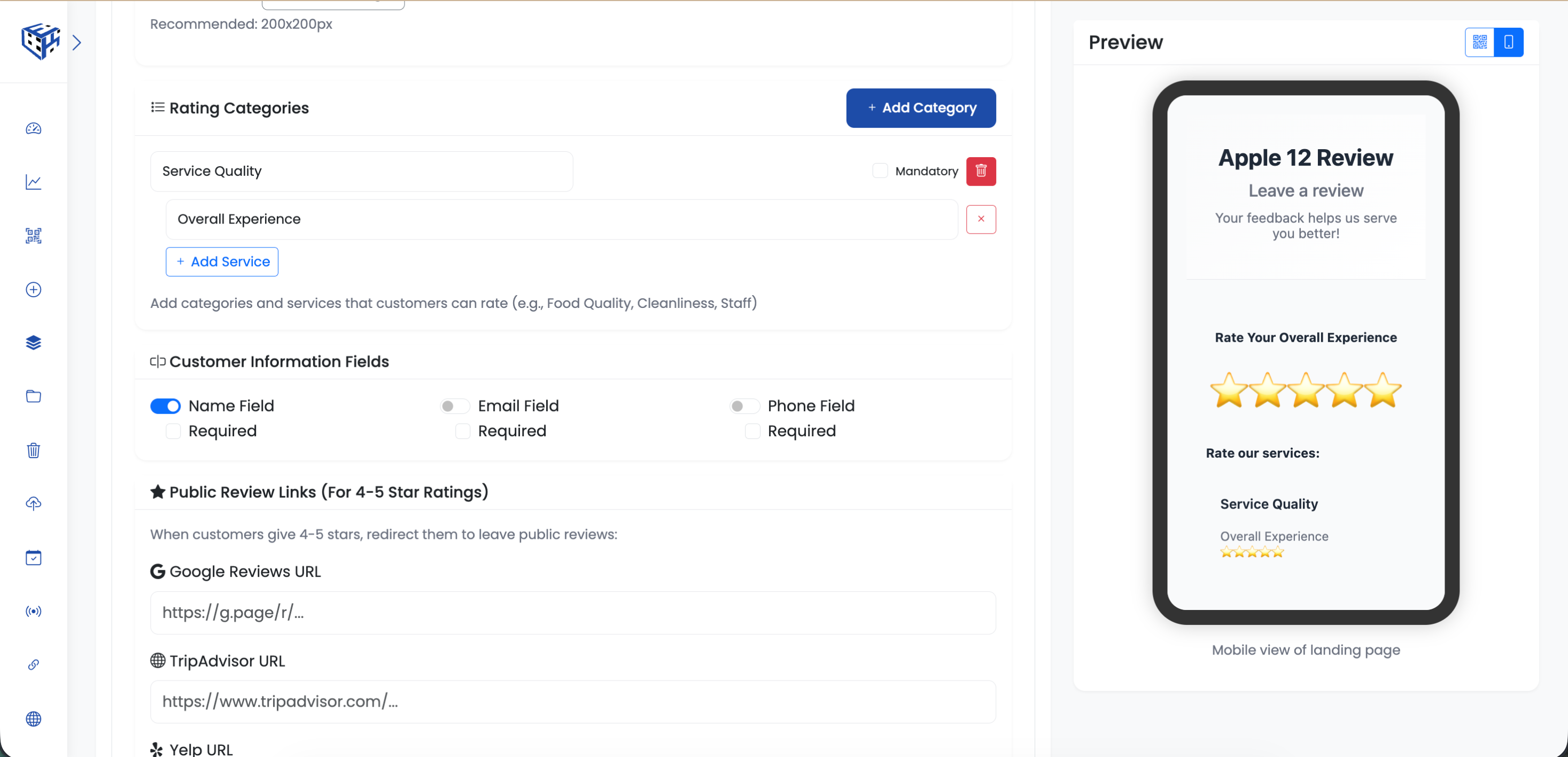
Set up rating categories and review links
What Visitors See
A feedback form with star ratings for each category you define. After submitting, 4-5 star reviewers are prompted to leave a public review on Google, Yelp, or TripAdvisor. Low ratings stay private and notify you.
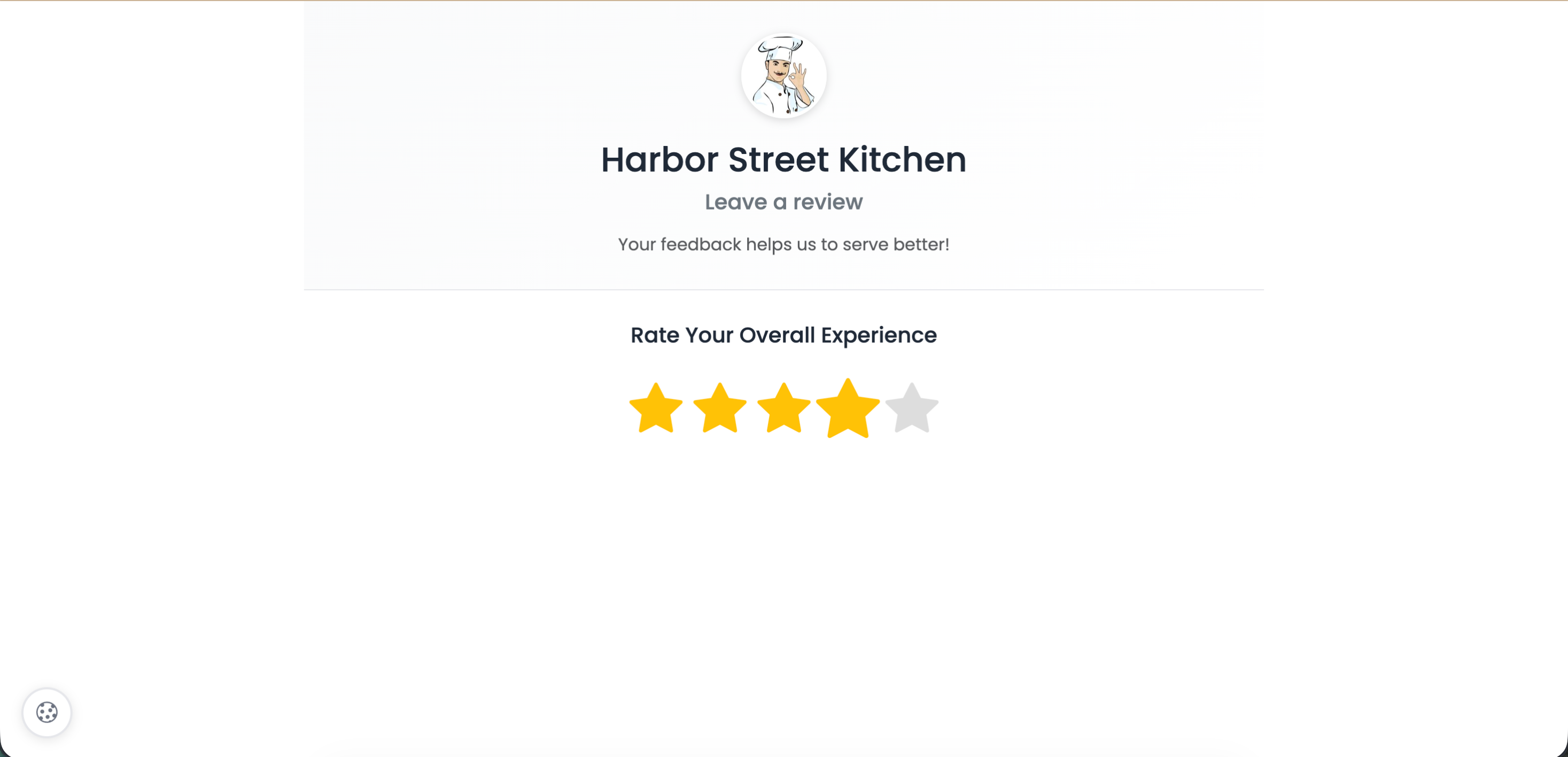
Customers rate each category with stars
Business Information
| Field | Description | Limit |
|---|---|---|
| Business Name* | Your business name | 100 characters |
| Feedback Title* | Page headline | 100 characters |
| Welcome Message | Instructions for customers | 300 characters |
| Business Logo | Your logo | 200x200px |
Rating Categories
Create categories with services to rate. Mark categories as mandatory or optional.
| Example Category | Services |
|---|---|
| Service Quality | Overall Experience, Staff Friendliness |
| Food Quality | Taste, Presentation, Portion Size |
| Cleanliness | Dining Area, Restrooms |
Customer Form Fields
| Field | Options |
|---|---|
| Name | Enable/Disable, Required/Optional |
| Enable/Disable, Required/Optional | |
| Phone | Enable/Disable, Required/Optional |
Public Review Links
When customers give 4-5 stars, redirect them to leave public reviews:
| Platform | Description |
|---|---|
| Google Reviews | Your Google Business review URL |
| TripAdvisor | Your TripAdvisor page |
| Yelp | Your Yelp business page |
| Your Facebook reviews | |
| Custom Platforms | Add Trustpilot, BBB, or any other platform |
Email Notifications
| Feature | Description |
|---|---|
| Thank You Email | Auto-send to customers after feedback |
| Business Notification | Receive email when feedback is submitted |
Privacy & Terms
| Feature | Description |
|---|---|
| Require Acceptance | Checkbox for Privacy Policy and Terms |
| Privacy Policy URL | Link to your privacy policy |
| Terms of Service URL | Link to your terms |
| Custom Text | Customize the acceptance text |
Webhook Integration
Send feedback data to your CRM, helpdesk, or Zapier automatically.
| Field | Description |
|---|---|
| Webhook URL | Your endpoint (e.g., https://hooks.zapier.com/...) |
| Webhook Secret | Sent as X-Webhook-Secret header |
| Custom Headers | JSON format for additional headers |
| Only Low Ratings | Only trigger for 1-3 star ratings |
Example webhook payload:
{
  "event": "feedback.submitted",
  "timestamp": "2024-01-15T10:30:00Z",
  "data": {
    "overall_rating": 5,
    "name": "John Doe",
    "email": "john@example.com",
    "phone": "+1234567890",
    "comment": "Great service!",
    "service_ratings": {
      "Service Quality": 5,
      "Staff Friendliness": 4,
      "Cleanliness": 5
    },
    "business_name": "SunnyBrew Coffee",
    "qrcode_id": 123,
    "qrcode_name": "Main Store Feedback",
    "feedback_id": "FB-20240115-001"
  }
}Social Media
Add your social profiles: Facebook, Instagram, Twitter/X, LinkedIn, YouTube, TikTok, WhatsApp, Telegram, Snapchat, Pinterest, Reddit, Discord, Twitch, Spotify, Threads, Mastodon.
Thank You Message
| Field | Description |
|---|---|
| Thank You Title | Headline after submission |
| Thank You Message | Custom message to display |
Use Cases
| Use Case | Example |
|---|---|
| Restaurants | Table tents, receipts |
| Hotels | Room cards, checkout counters |
| Retail | Checkout, dressing rooms |
| Healthcare | Waiting rooms, post-visit |
| Services | After appointments, invoices |
Tip
Enable 'Only Low Ratings' webhook to auto-create support tickets only for unhappy customers - respond before they post bad reviews.
Still facing difficulties?
Click here to contact our support team for assistance