Discounts That Track Themselves
A clothing store prints 1,000 flyers with a 20% OFF coupon QR code. Customers scan, tap 'Copy Code', and paste at checkout. The store tracks how many scans came from flyers vs. in-store displays. The campaign ends? They update the expiry date. New promotion? They change the discount to 30% - all 1,000 flyers now show the new offer.
Coupon QR codes create branded discount pages. Tap-to-copy codes, expiry countdowns, store locations, and optional auto-apply at your website checkout.
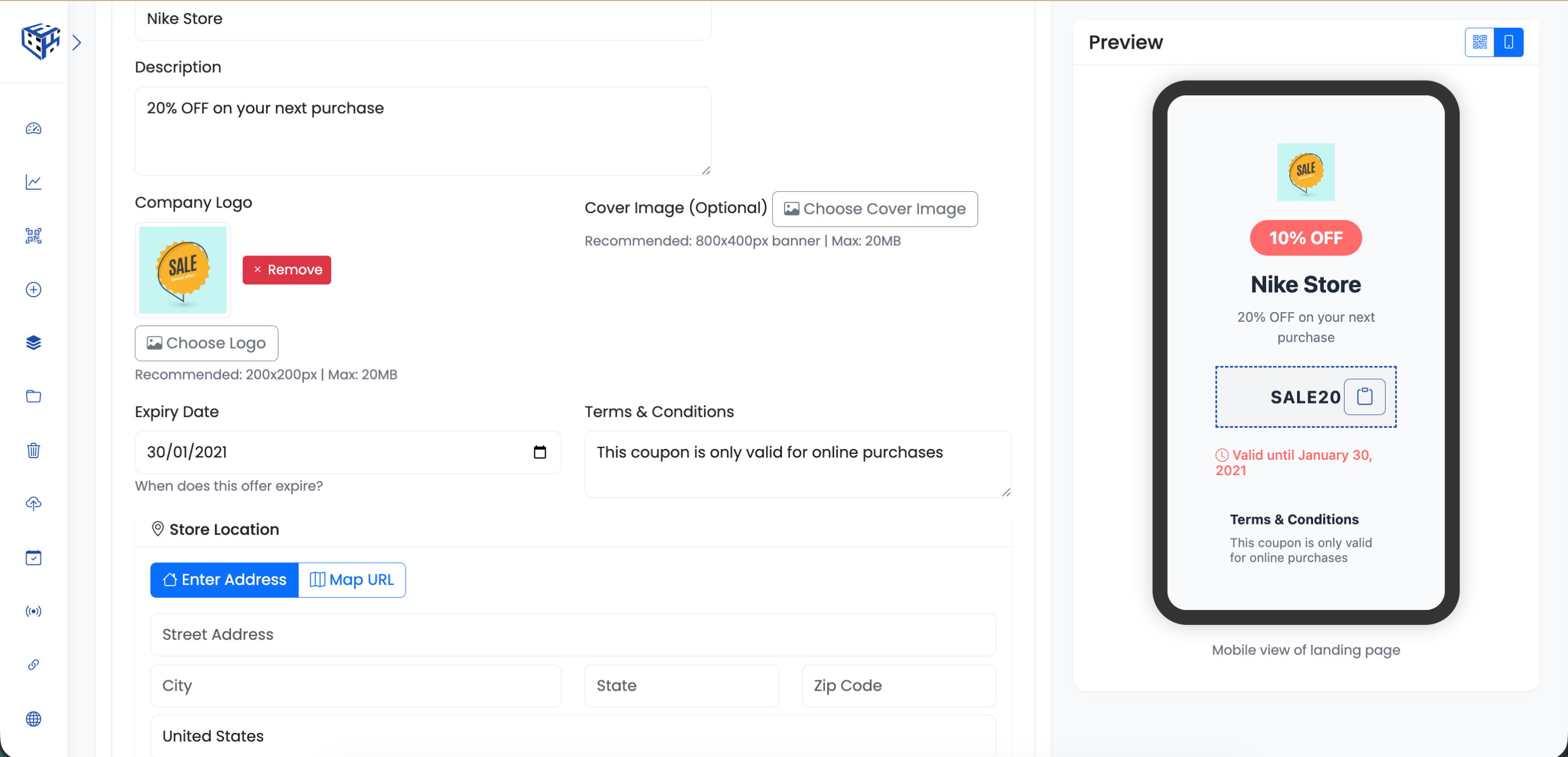
Enter coupon code and discount details
What Visitors See
A branded coupon page with your logo, discount offer, tap-to-copy code, expiry countdown, store location with map, and a 'Redeem Now' button linking to your store.
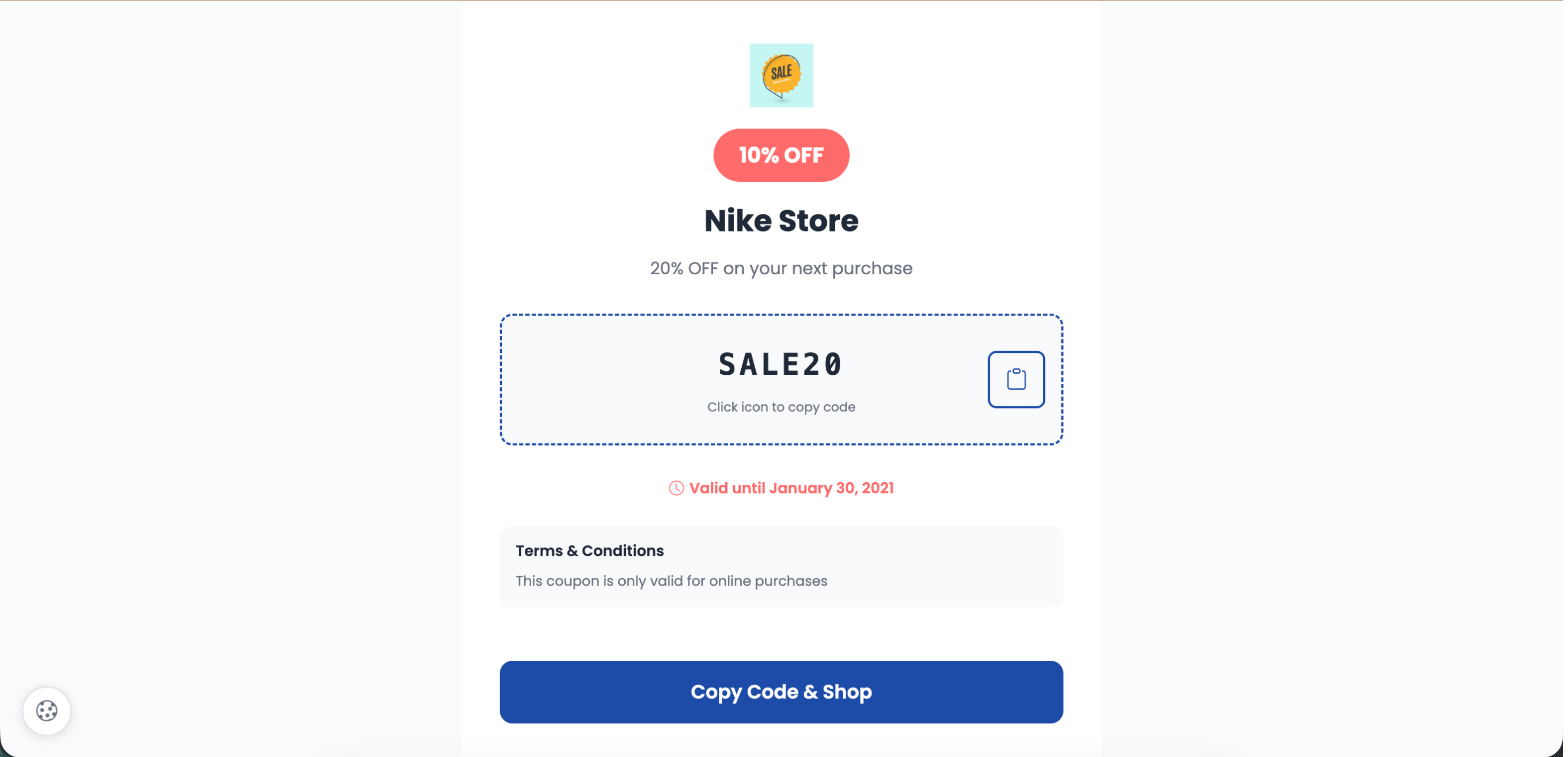
Tap to copy coupon code instantly
Coupon Details
| Field | Description | Limit |
|---|---|---|
| Coupon Code* | Code customers will use (auto-uppercase) | 20 characters |
| Discount Amount* | e.g., 20% OFF or $10 OFF | 30 characters |
| Offer Title* | Headline for the offer | 100 characters |
| Description | What the offer includes | 500 characters |
| Expiry Date | When the coupon expires | - |
| Terms & Conditions | Usage restrictions | 300 characters |
Visual Elements
| Field | Description |
|---|---|
| Company Logo | 200x200px, 20MB max |
| Cover Image | 800x400px banner, 20MB max |
Store Location
Two options: Enter full address (Street, City, State, Zip, Country) OR paste a Google Maps URL.
Redeem Button
| Field | Description |
|---|---|
| Button Text | e.g., Redeem Now, Shop Now (30 chars) |
| Button URL | Your store checkout or product page |
| Auto-apply Code | Toggle to append coupon code to URL |
Use Cases
| Use Case | Example |
|---|---|
| Retail promotions | In-store flyers, posters |
| Restaurant deals | Table tents, receipts |
| E-commerce | Product packaging, inserts |
| Loyalty rewards | Membership cards, emails |
| Events | Trade show handouts, tickets |
Tip
Enable auto-apply to append the coupon code to your checkout URL - customers click 'Redeem' and the discount is already applied.
Still facing difficulties?
Click here to contact our support team for assistance