Transfer QR codes between different workspaces to organize projects or share with teams.
Move Single QR Code
Click the 3-dots menu (⋮) on any QR code card and select "Move to Workspace".
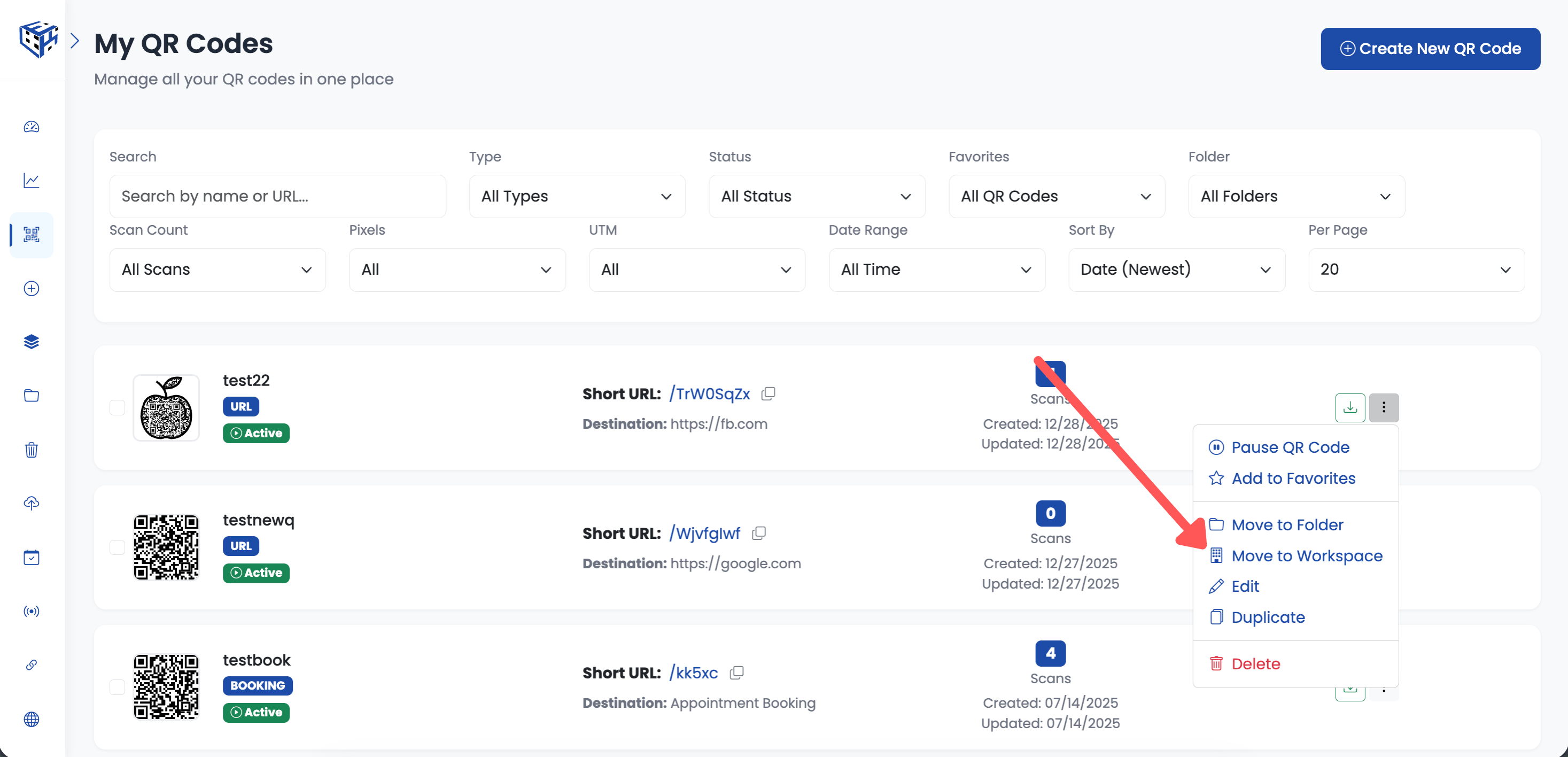
Click 3-dots menu → Move to Workspace
A popup appears with your workspaces. Select the destination workspace and the QR code is moved instantly.
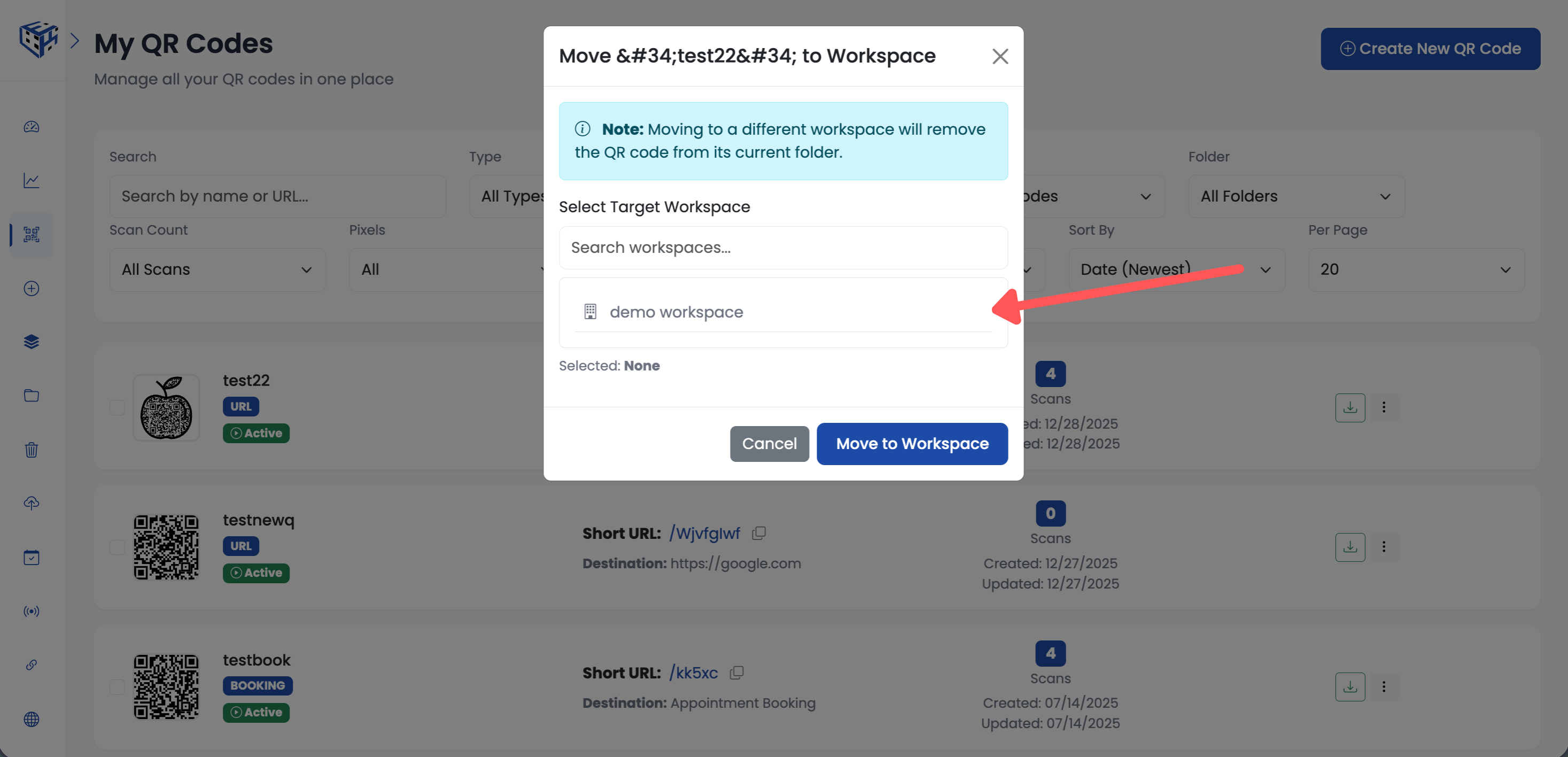
Select workspace from the popup
Bulk Move Multiple QR Codes
Select multiple QR codes using checkboxes. A bulk operations toolbar appears below the filters. Click "Workspace".
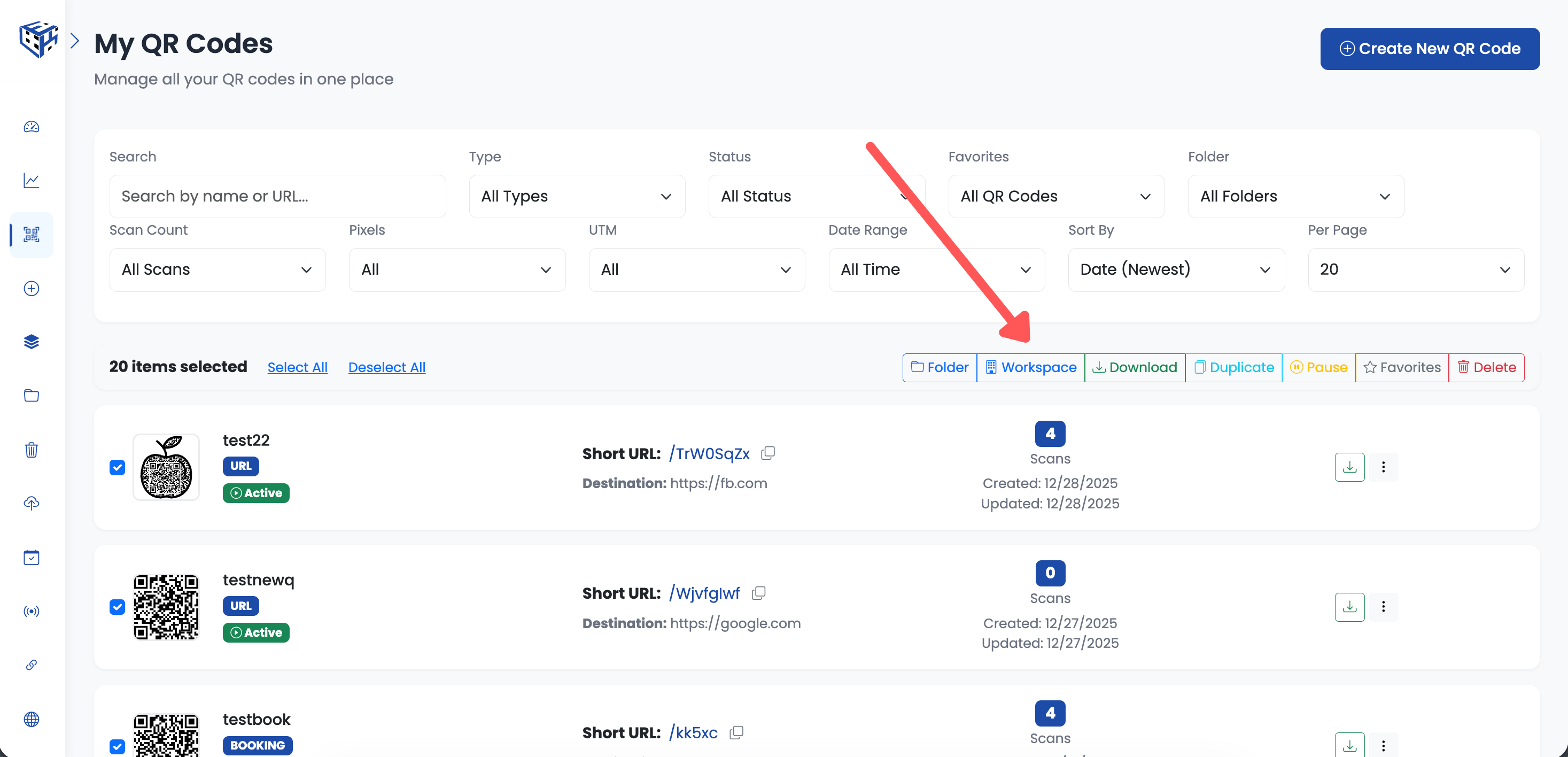
Select QR codes → Click Move to Workspace in toolbar
The same workspace popup appears. Select the destination and all selected QR codes are moved.
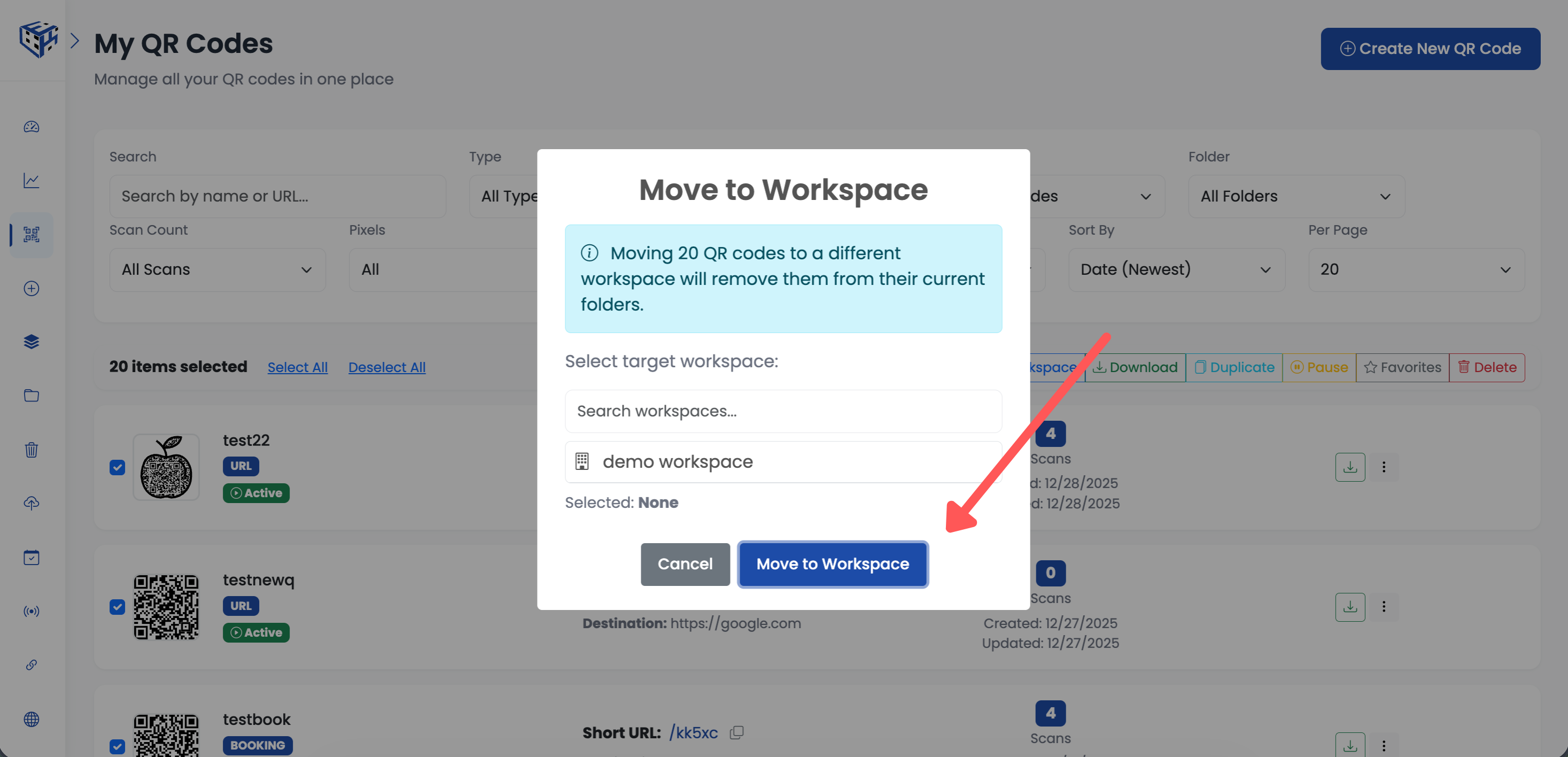
Select workspace for bulk move
Note
You need editor or owner permissions in the destination workspace. QR codes continue working after moving, but folder assignments are cleared.
Still facing difficulties?
Click here to contact our support team for assistance