Delete QR codes you no longer need. Deleted codes go to Trash Bin for 7 days before permanent deletion.
Delete Single QR Code
Click the 3-dots menu (⋮) on the QR code card. Select "Delete" from the dropdown. A confirmation popup appears - click "Delete" to confirm.
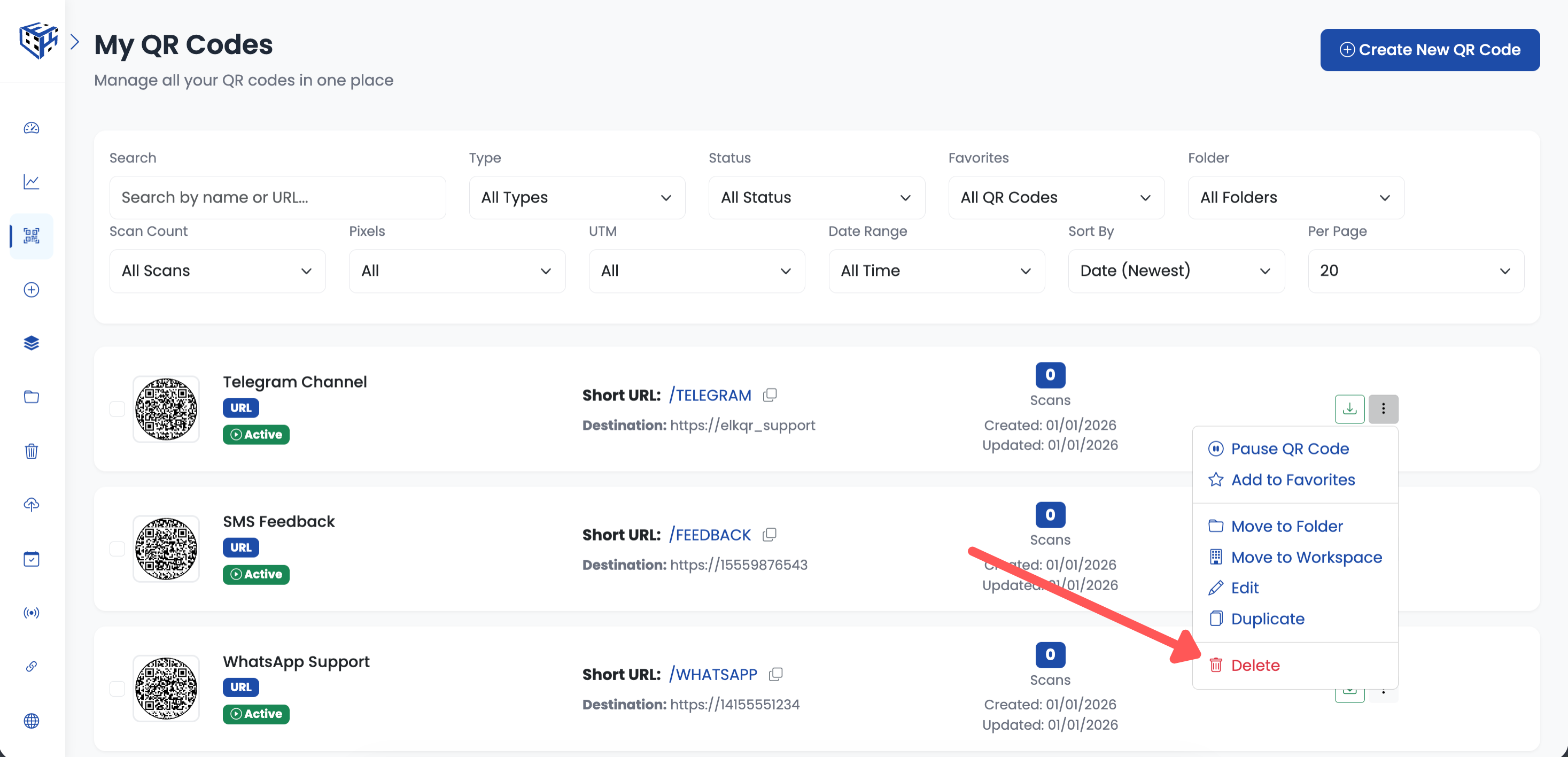
Click 3-dots menu and select Delete
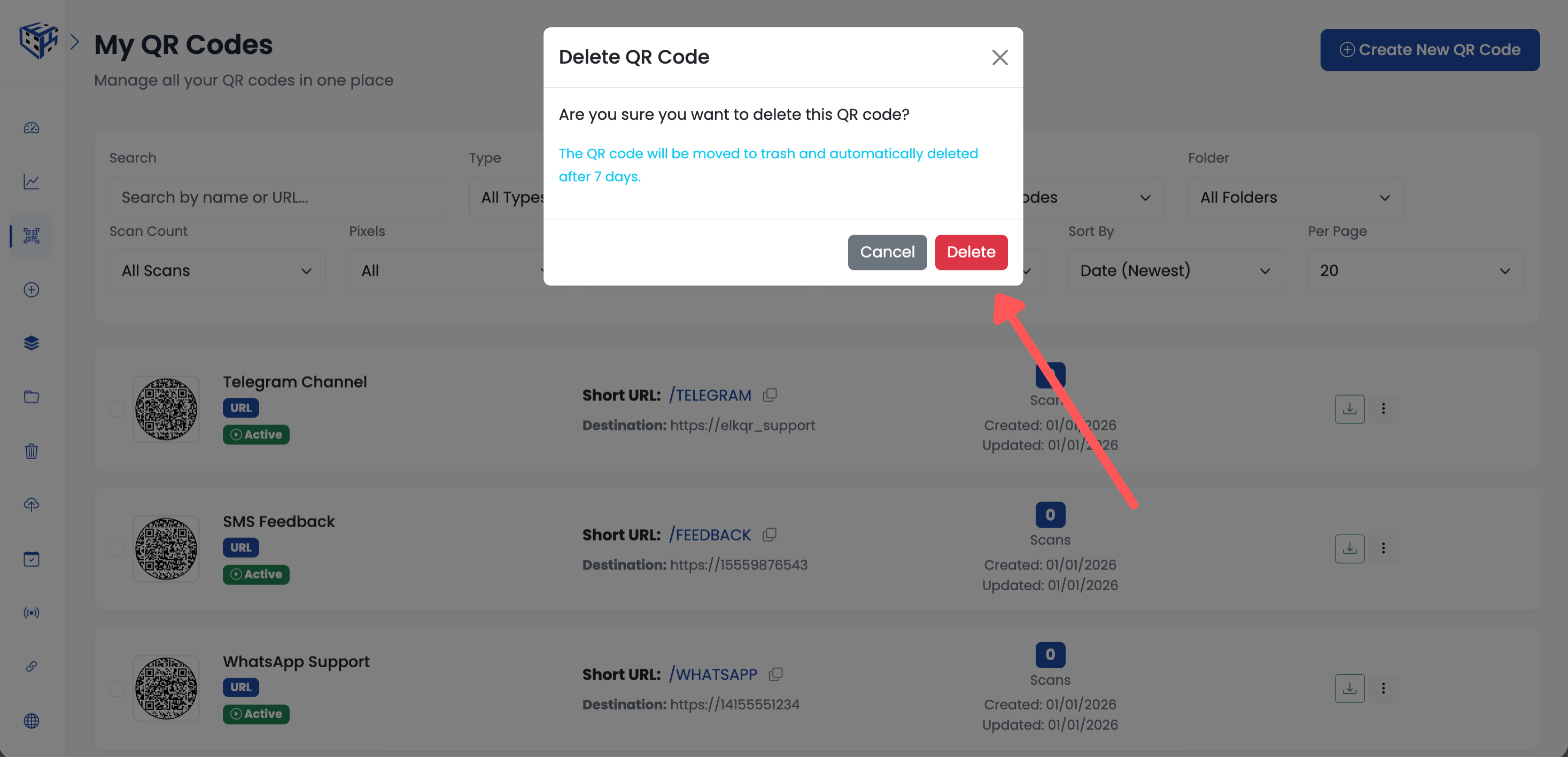
Confirm deletion in the popup
Bulk Delete QR Codes
Select multiple QR codes using checkboxes. A bulk operations toolbar appears below the filters. Click "Delete" to delete all selected QR codes. Confirm in the popup.
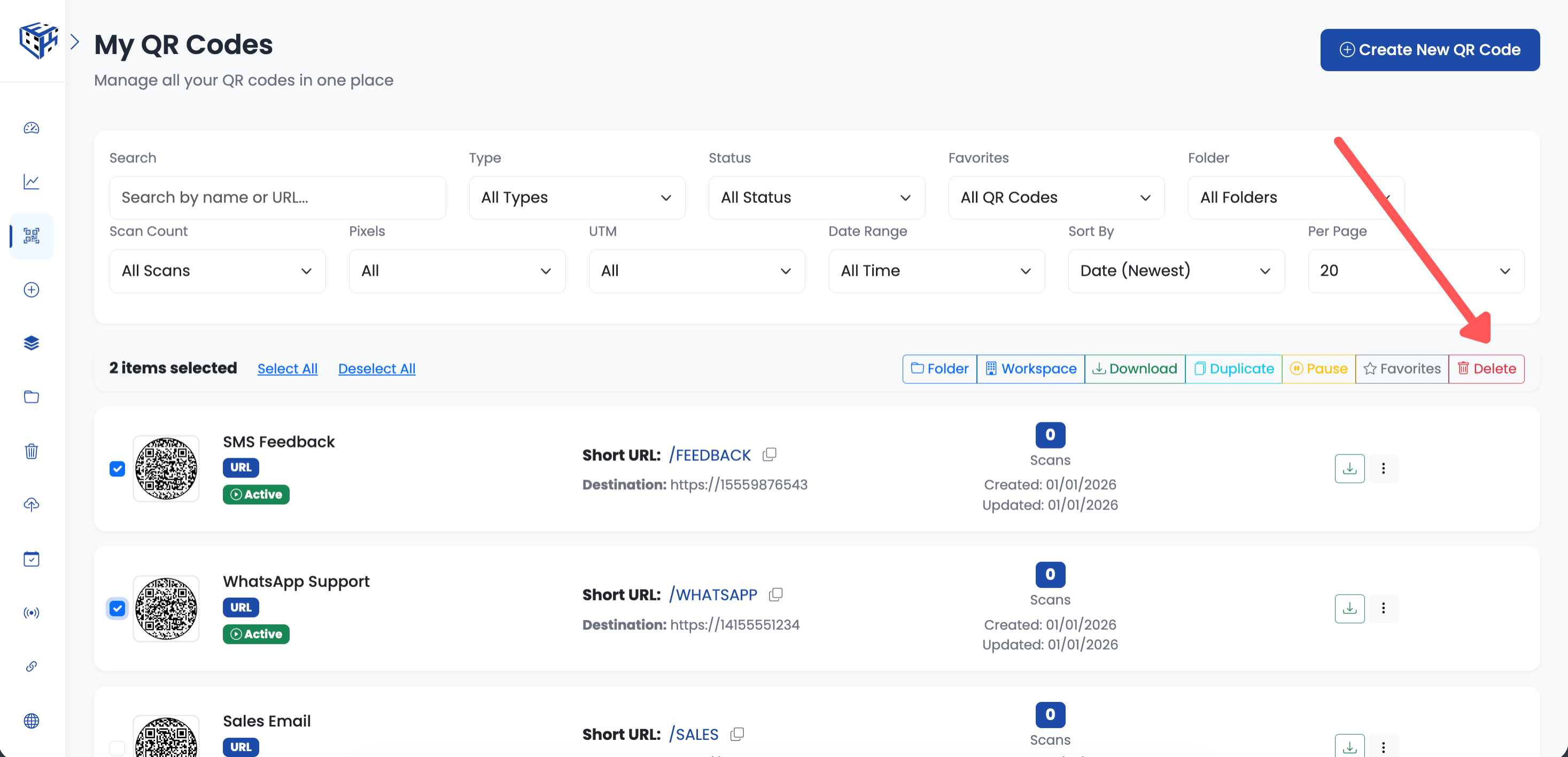
Select QR codes and click Delete in bulk toolbar
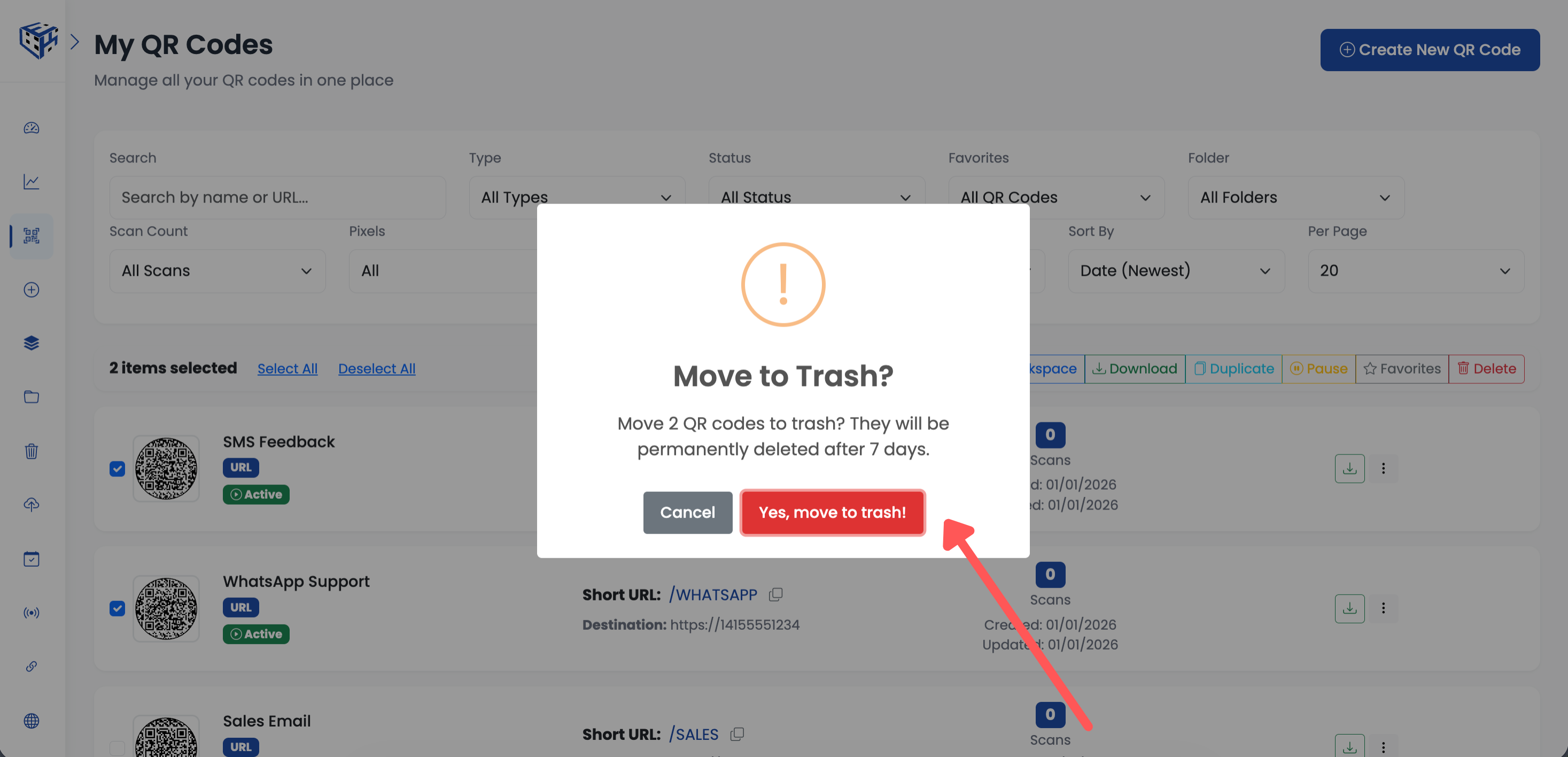
Confirm bulk deletion
Trash Bin
Deleted QR codes go to Trash Bin in the sidebar. You have 7 days to restore them before permanent deletion. Click "Restore" to recover a QR code, or "Delete" to permanently remove it immediately. Use "Empty Trash" to permanently delete all items at once.
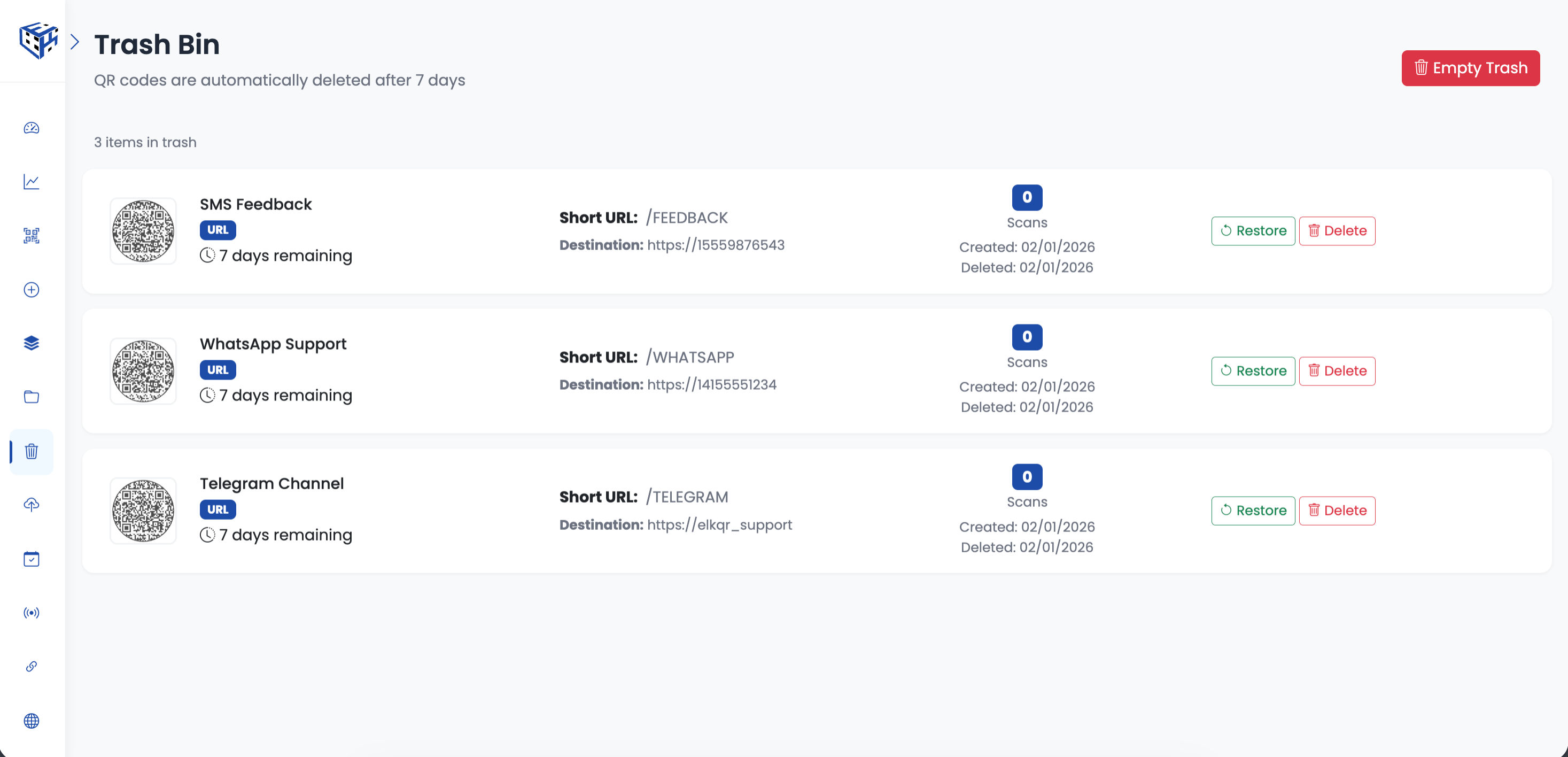
Access Trash Bin from the sidebar
Warning
After 7 days, QR codes are permanently deleted and cannot be recovered.
Still facing difficulties?
Click here to contact our support team for assistance