Your Brand, Your Links
A marketing agency creates QR codes for 50 different clients. Every QR code shows elkqr.link in the URL. One client asks: 'Can these show our company name instead?' The agency sets up qr.clientbrand.com in 10 minutes. Now all that client's QR codes show their branded domain. The client's customers see trusted, professional links.
Custom domains replace elkqr.link with your own branded domain like qr.yourbrand.com or links.yourcompany.com.
Before vs After
| URL Example | |
|---|---|
| Before | elkqr.link/x7Kp2mNq |
| After | qr.yourbrand.com/catalog |
Add DNS Record at Your Domain Provider
Before adding the domain in ElkQR, you must point your DNS to our servers. Log in to your domain provider (GoDaddy, Cloudflare, Namecheap, etc.) and add one of these records:
Option A: A Record (Works for Any Domain)
| Field | Value |
|---|---|
| Type | A |
| Host/Name | @ (for root) or subdomain name (qr, links, go) |
| Value/Points to | 64.225.81.205 |
| TTL | 3600 or Auto |
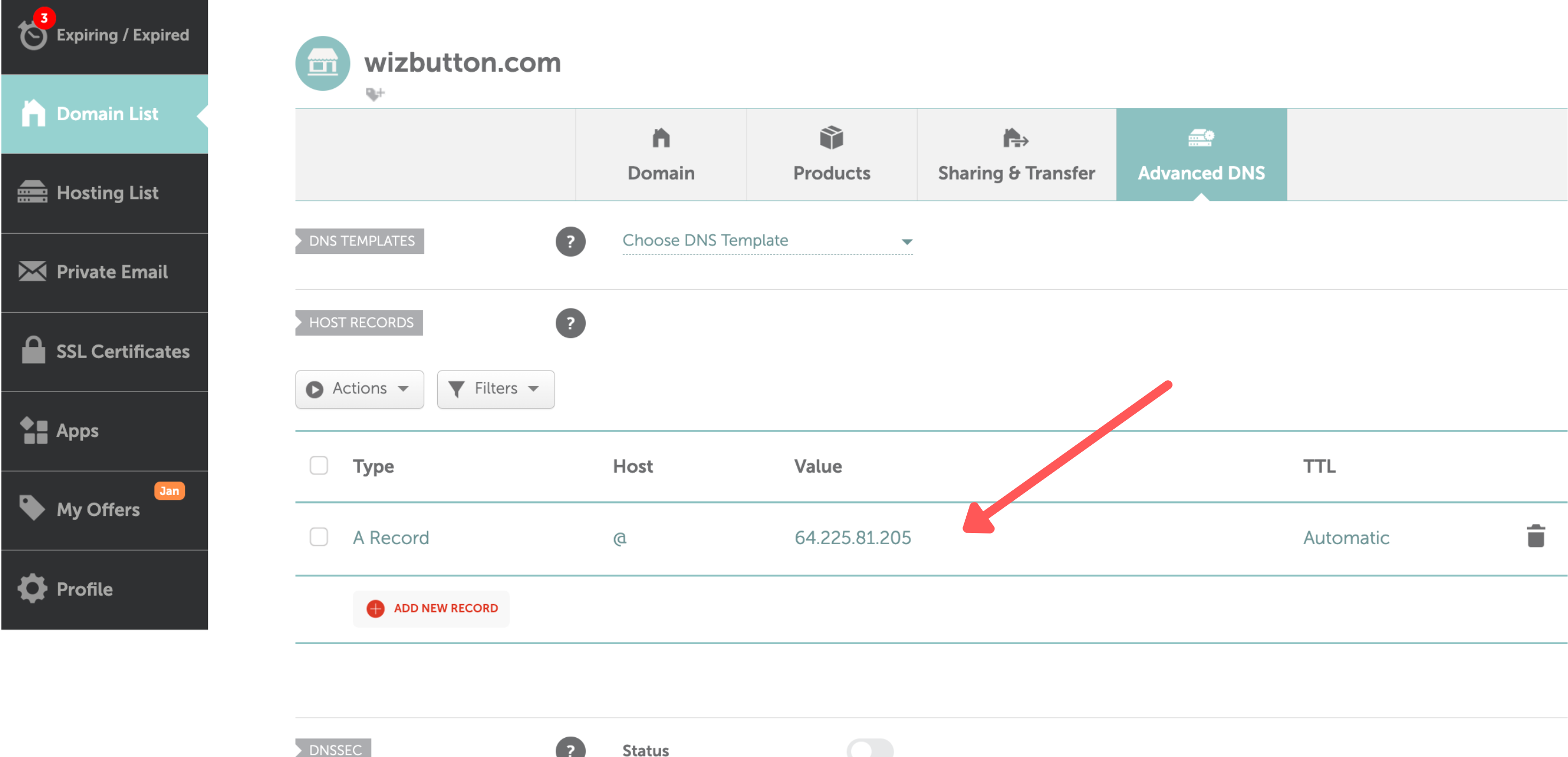
Example A Record configuration in Namecheap
Option B: CNAME Record (Subdomains Only)
| Field | Value |
|---|---|
| Type | CNAME |
| Host/Name | your subdomain (qr, links, go) |
| Value/Points to | hq.elkqr.com |
| TTL | 3600 or Auto |
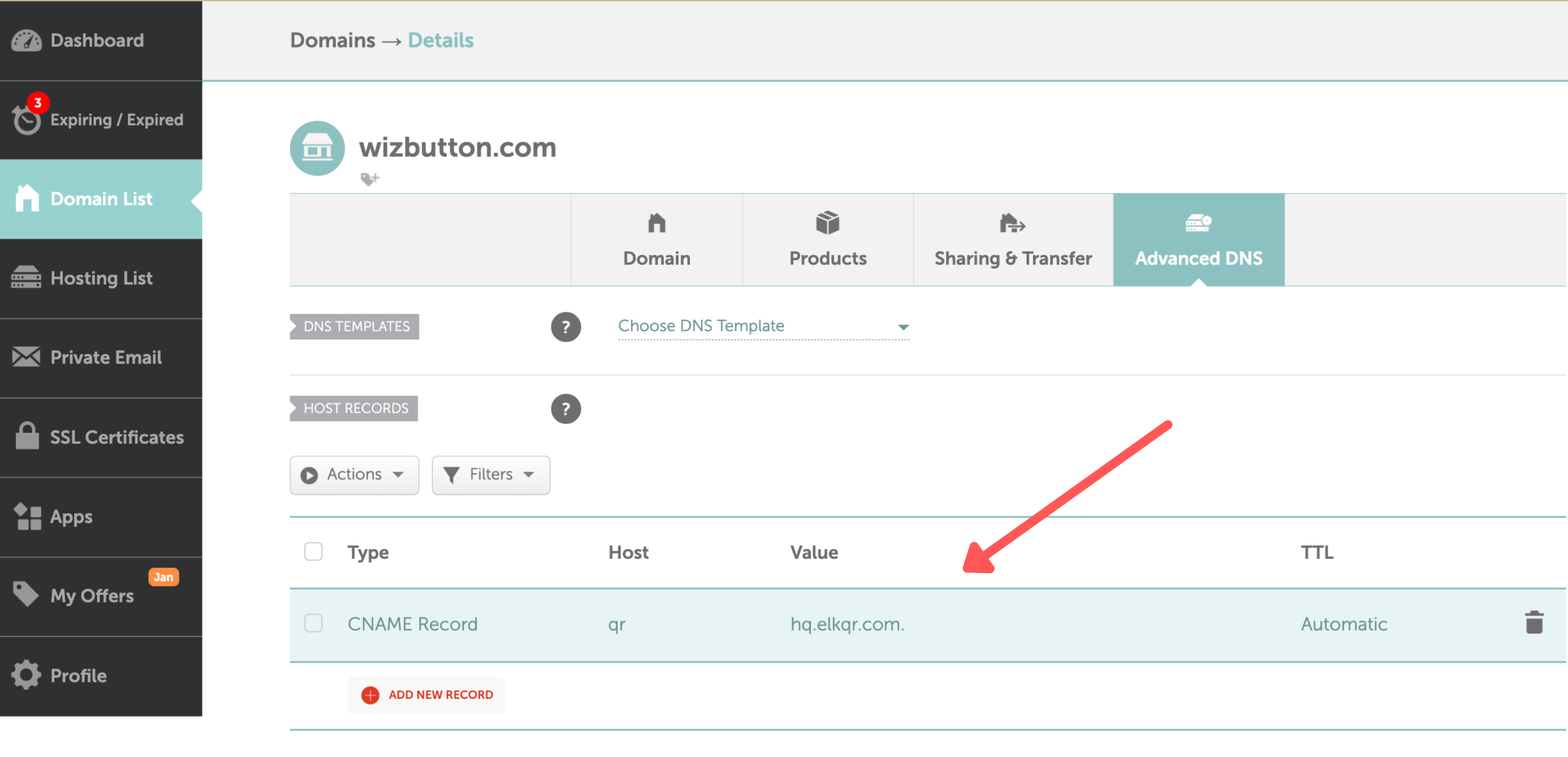
Example CNAME Record configuration in Namecheap
Warning
If using Cloudflare, set the proxy status to 'DNS Only' (gray cloud icon), NOT 'Proxied' (orange cloud). Cloudflare's proxy interferes with SSL certificate generation and will cause your domain to fail verification.
Wait for DNS Propagation
DNS changes typically propagate in 5-30 minutes, but can take up to 48 hours. Check if your DNS is ready:
Go to whatsmydns.net, enter your domain, and check: select 'A' record type and verify it shows 64.225.81.205, or if you used CNAME, select 'CNAME' and verify it shows hq.elkqr.com.
Add Domain in ElkQR
Once DNS is propagated, click Custom Domains in the sidebar.
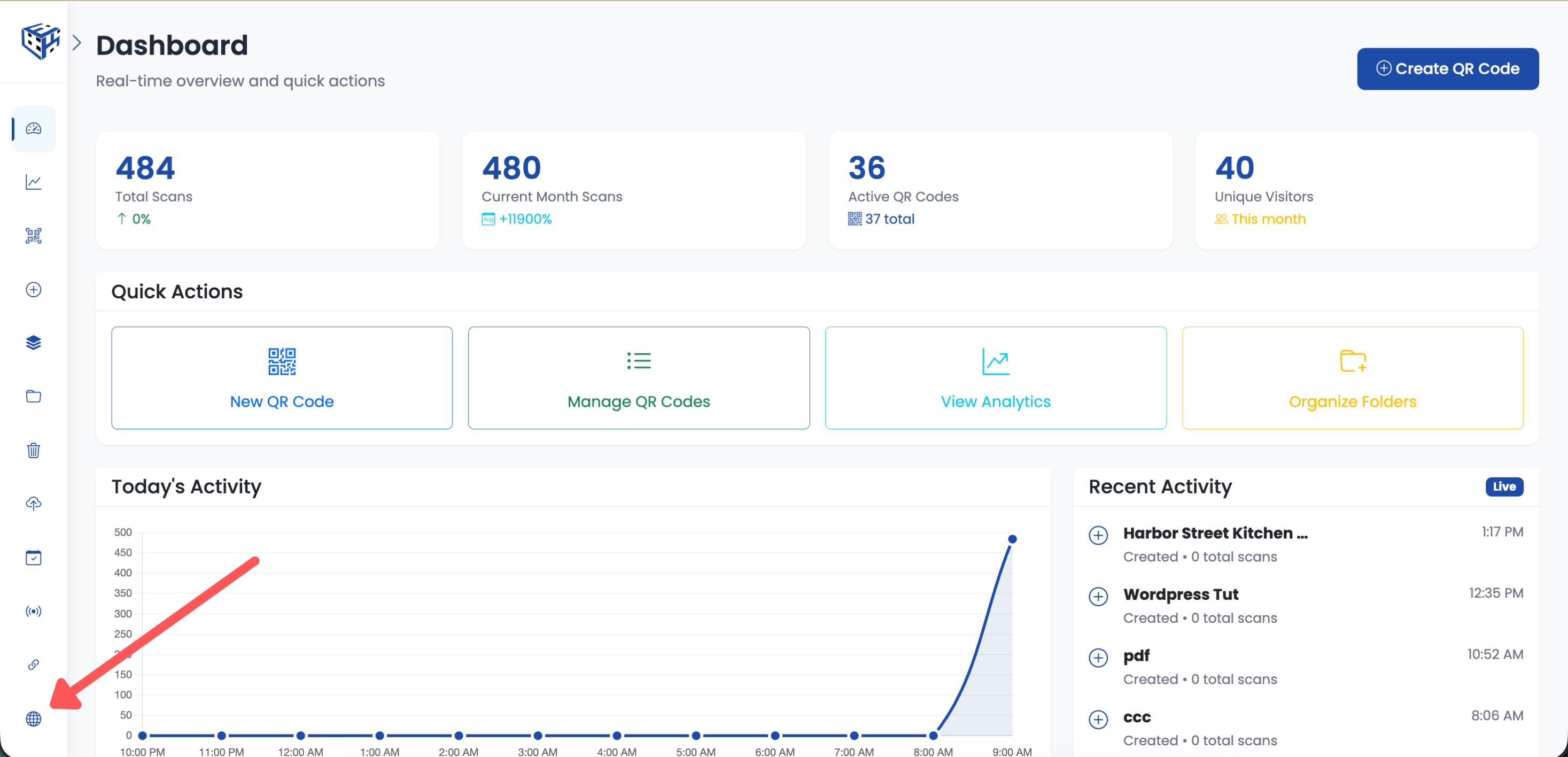
Click Custom Domains in the sidebar
Click Add Custom Domain, enter your full domain (e.g., qr.acmecorp.com), and click Add Domain.
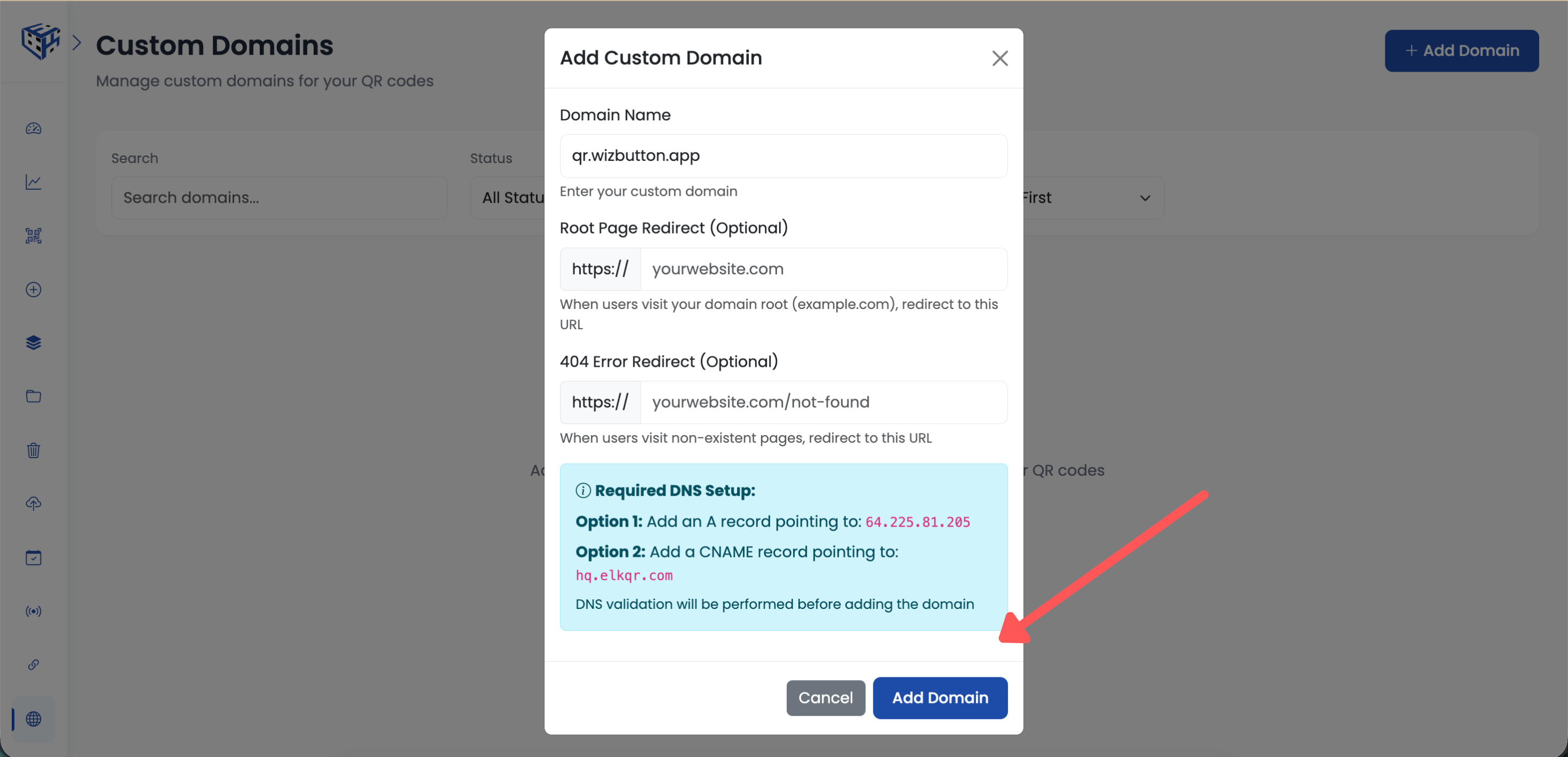
Enter your domain and click Add Domain
ElkQR verifies your DNS is correctly pointed and automatically generates an SSL certificate for HTTPS. This takes about 10-30 seconds.
Use Your Custom Domain
Once active, your custom domain appears in the QR code creation form. Select it as the default domain for new QR codes, or choose it per QR code.
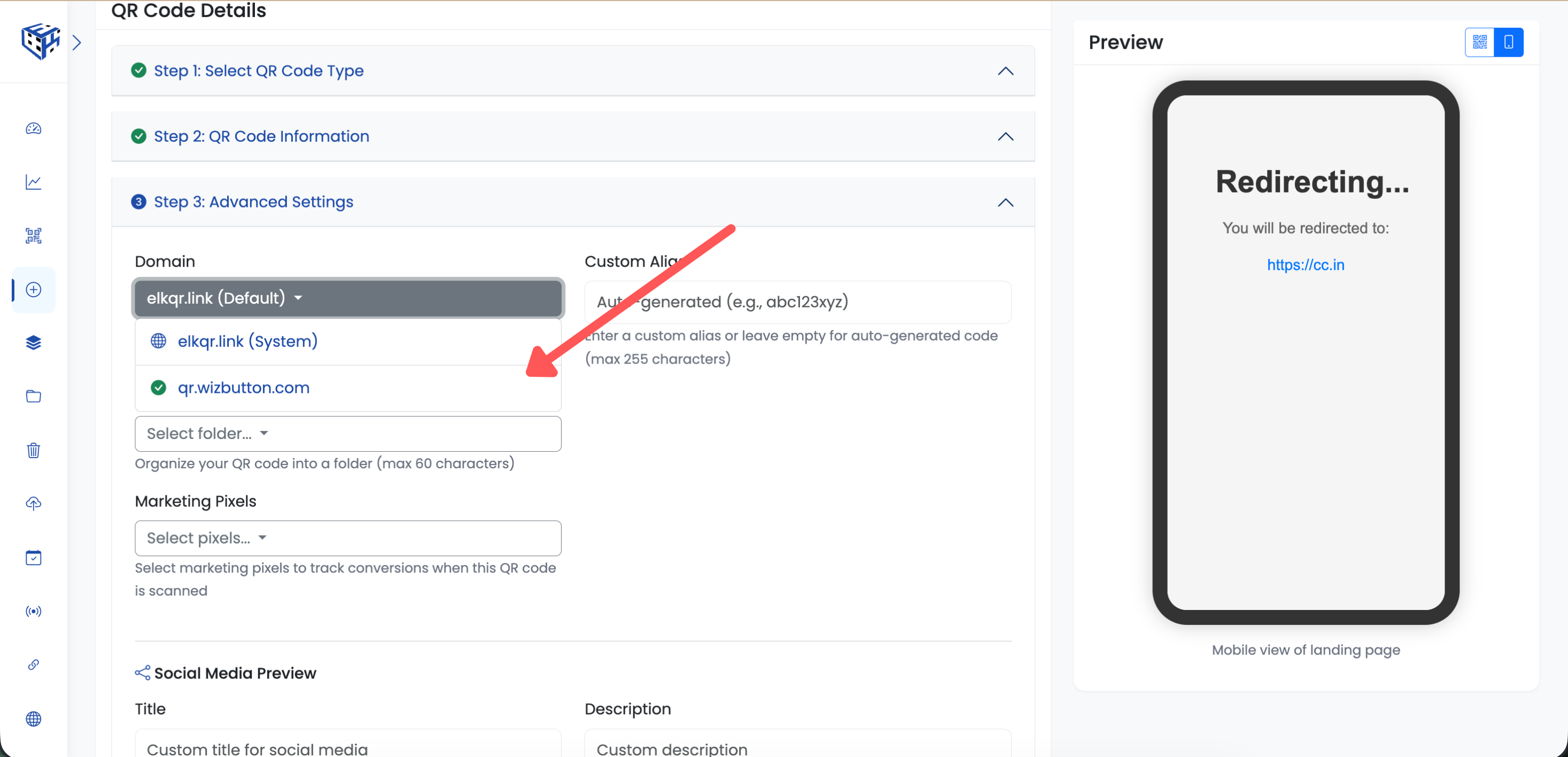
Select your custom domain when creating new QR codes
Warning
You cannot add a domain in ElkQR until DNS is correctly pointed to 64.225.81.205. Complete Steps 1 and 2 first.
Tip
Use a subdomain like qr.yourbrand.com instead of your main domain. This avoids conflicts with your existing website.
Still facing difficulties?
Click here to contact our support team for assistance