The Safety Net You'll Thank Yourself For
It's 11 PM. You're cleaning up your QR code list. You accidentally delete the QR code that's printed on 5,000 product packages currently sitting in warehouses. Without a trash bin, that QR code is gone. The printed codes become useless. You'd have to create a new one with a different short URL.
With ElkQR's Trash Bin, deleted QR codes are recoverable for 7 days. Same short URL. Same scan history. Same everything. One click to restore, crisis averted.
What Happens When You Delete
| Immediately | After 7 Days |
|---|---|
| QR code moves to Trash Bin | Automatically permanently deleted |
| Short URL stops working | Cannot be recovered |
| Scan analytics preserved | All data removed |
| Can be restored anytime | Gone forever |
What You Can Do
| Action | What It Does |
|---|---|
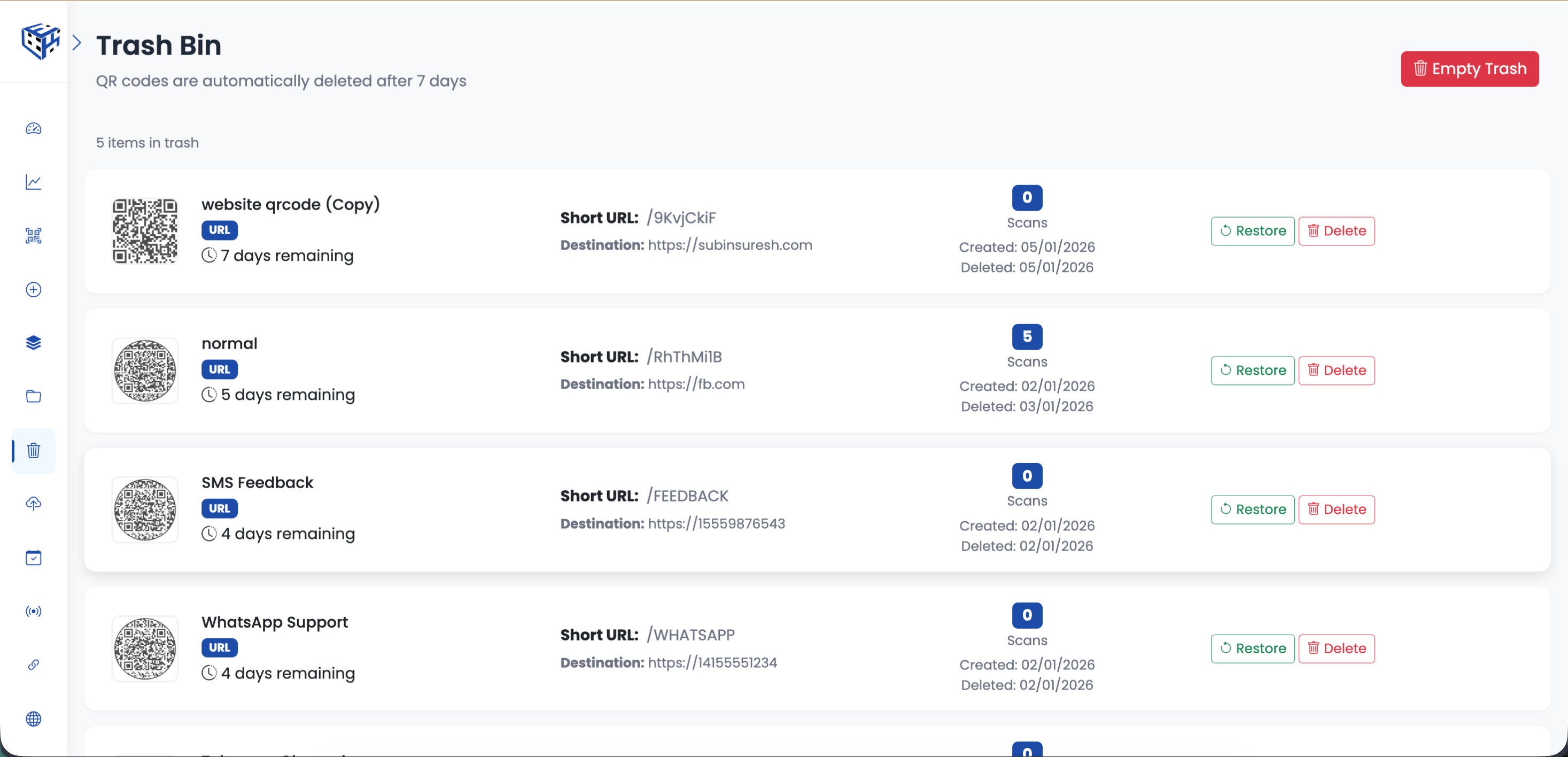
| Restore | Brings QR code back to your main list instantly - short URL works again |
| Delete Now | Skip the 7-day wait and permanently delete immediately |
| Empty Trash | Permanently delete all trashed items at once |
Why The Short URL Matters
When you restore a QR code, it comes back with the same short URL (like elkqr.link/abc123). This means any QR codes already printed will work again immediately. No need to reprint anything.
Tip
Click Trash Bin in the sidebar to view and manage deleted QR codes. Each item shows a countdown of days remaining before automatic permanent deletion.
Still facing difficulties?
Click here to contact our support team for assistance