150 QR Codes. Which 5 Do You Check Every Day?
You've built up a library of QR codes. Product pages, event tickets, menus, landing pages. But there are always those 5 or 6 you check constantly. Your main product page. Your flagship campaign. The QR code on your business card. Every time you need to check them, you're scrolling, searching, clicking through folders.
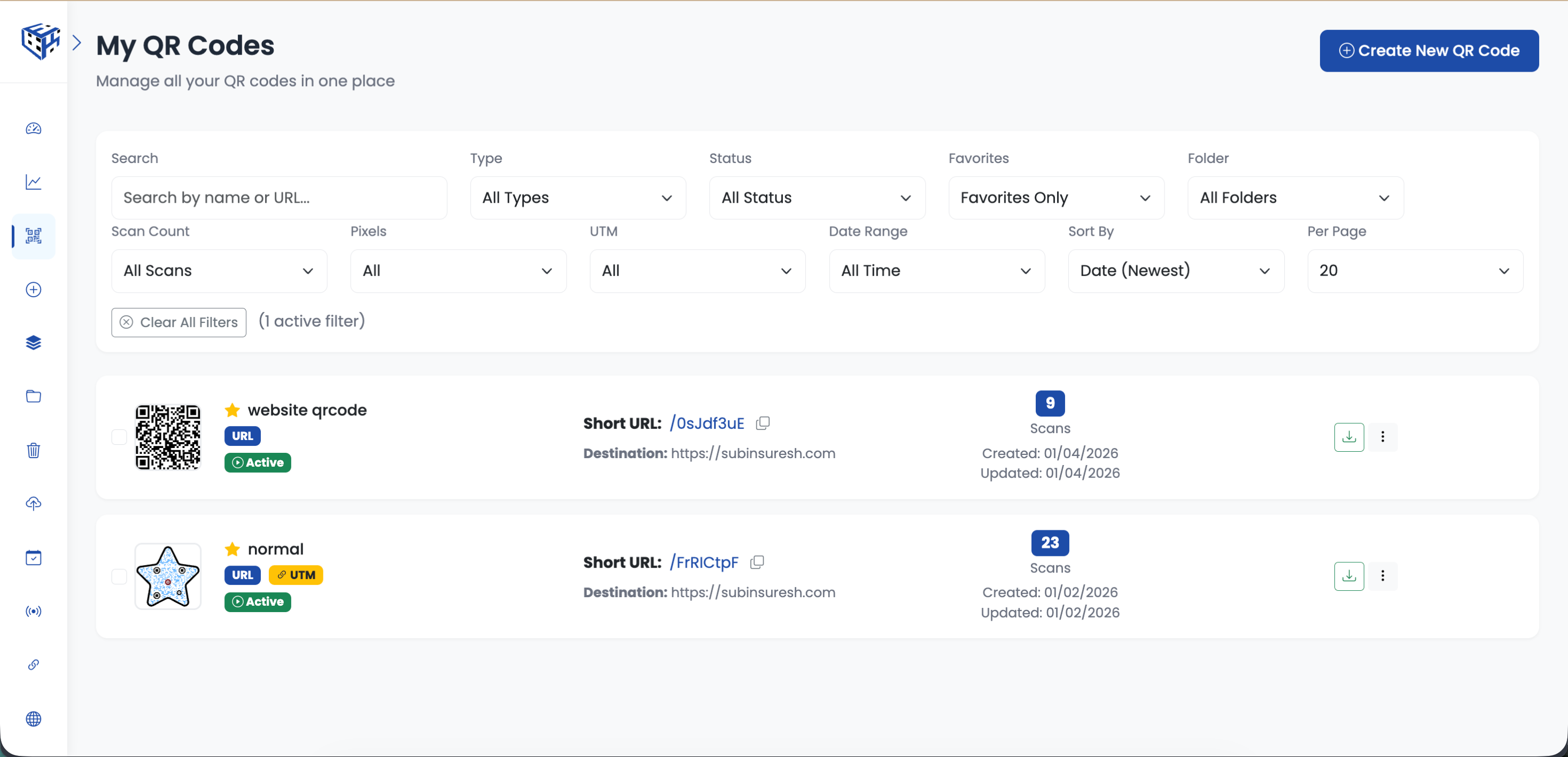
Favorites lets you pin your most important QR codes for instant access. One click to see only your starred codes. No scrolling. No searching. Just your essentials.
Star your most important QR codes. Filter to see only favorites. Access your essentials instantly.
How Favorites Work
| Action | How To |
|---|---|
| Add to favorites | Click 3-dots menu → Add to Favorites |
| Remove from favorites | Click 3-dots menu → Remove from Favorites |
| View only favorites | Filter dropdown → Favorites Only |
| Spot favorites | Look for the star icon on the QR card |
When to Use Favorites
- QR codes you check daily (main website, product page)
- Active campaigns you're monitoring
- QR codes on your business card or email signature
- High-traffic codes that need regular attention
- Client QR codes you manage frequently
Favorites vs Folders
Folders organize by category (Products, Events, Clients). Favorites are for quick access regardless of category. A QR code can be in a folder AND favorited. Use both together: folders for organization, favorites for speed.
Tip
Favorites work across folders. Your favorited QR codes from any folder all appear when you filter by Favorites Only.
- How to Add a QR Code to Favorites? - Step-by-step guide to favoriting QR codes
Still facing difficulties?
Click here to contact our support team for assistance